Showing posts with label coronavirus. Show all posts

Friday, January 21, 2022

At a Distance, Again

Well, besides the Jeopardescapade, this has been quite a crappy month for everyone. In Massachusetts, a huge surge in COVID infections after the holidays forced a lot of us to make changes again in how we are working with students. Schools have stayed pretty much as "new normal" here, with the exception of more testing and quicker on the draw to cancel school days for weather. Working in a private practice, we have made a shift to move as many sessions as possible into a temporary telepractice format for individuals and groups, while keeping in-person services for those that struggle to engage online (or are just over it). Of course we are taking extensive precautions: vaccine requirements, temp checks, health screens, powerful air filtration, double masking, distancing...
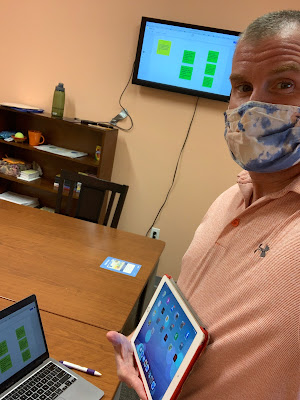
On that last one, I find technology to be a big help. We have an Apple TV (old ones work fine) with HDMI-ported TVs (just your basic TVs these days) in each clinic room. I have a Mac which can screen mirror to these, but if I didn't, an HDMI cable would do. The Mac just gives me more mobility. The use of a screen (like you would a board/projector in a classroom) can keep engagement up visually and can prompt session structure and communication from students in a variety of ways, while maintaining distance within the room. It can help also to reduce or eliminate shared "touched" materials, and though these really aren't the problem with an aerosol-spread virus, it's a step that can't hurt and can be reassuring to families. Here are a few examples:

-Use Jamboard activities that are game/play-like and prompt discussion and collaboration. I have mentioned Julia Dweck's collection and this week used the Traffic Jam game.

-Activities students can participate in actively via their smartphones. You can make a worksheet/thinksheet into a google form and email to them, or shorten the link with bit.ly. Kahoot is almost always a draw, whether you choose from topics of interest or social/language based games. Jackbox Games are worth an investment, and often on sale- these are joined by phone.

-Have a discussion and document the language in a simple Google slide like a flipchart. I guarantee they'll want to correct your typing, which means they are paying attention. Insert images! SlidesCarnival has good templates for free if you want to jazz it up visually.

-Anything visual that prompts discussion- consider infographics on topics of interest or something related to holidays or current events. With Chinese New Year coming up there are a variety of websites and graphics that describe the personality traits of the various animals/years. Great to connect to and have students self-reflect on how they might be same or different.

-Books that are visual with limited text. This week I used Jon Klassen's darkly humorous I Want My Hat Back and This is Not My Hat on YouTube. You read 'em, sound muted, pause at will- there is plenty to discuss with some facial expression interpretation.

Thursday, June 10, 2021

Lessons from COVID, Part 1: or, An Anxious Extrovert SLP Faces a Pandemic

As we close out what was frankly an annus horribilis for everyone, naturally including anyone in education or health care, I'd like to do so as positively as possible and share some lessons learned. This might be two posts or one, or six or twelve, I am really not sure. It's a topic I thought of submitting for an ASHA presentation but really didn't have the energy (I submitted a different topic), so here goes.

The beginning of the pandemic was a fear-fueled spring into action: figuring out how to become an actual telepractioner instead of a tech-informed consultant, and then sharing that information in post after post and not a few presentations. Then we settled into the long day-to-day post-fall and that energy...lagged. The days got shorter and my SAD closed in, bringing with it a lot of irrational dread that was tinged with actual threat. My husband returned to teaching HS Math (mostly AP) in an impossibly hybrid fashion, working 12 hour days to figure this out for some engaged and many indifferent students, all of whom were probably doing their best to get through this. Meanwhile, I settled into continuing teletherapy, feeling trapped in our house and isolated, except for the blessed days I got to leave and go do some in-person work at schools. Nevertheless, we both carried UVC lamps to sanitize our computers and stripped our school clothes into a dedicated hamper in our back hallway. 

Things got better. Vaccinations brought hope, mine coming undeservedly early in my case, due to my SLP license. I cheered on as my parents, my husband, family members, friend by friend (I kept track of who was on what shot mentally), then my students got their protection. Still, I languished through the late winter and spring and just now am REALLY able to see and enjoy the light, and I'm looking forward to the future.

Having started to experiment with coloring and drawing, I'm seeing the light- and am a work in progress.

I didn't get COVID. My husband didn't get COVID. I think, anyway. I certainly got tested enough. The few people I know who did had mostly manageable cases. Lucky. I kept working, another blessing; I know it's a privilege to be able to work from home. Still. It sucked, didn't it?

I'm working to put the year behind me (self talk: let go and move on) but I know I can focus on the things I learned, and share them. So let's start with mental health. It's important, and something like this can break it a little, and you can piece it back together. Some tech tools that helped me:

1. Therapists need therapists. Get help if you need it. I had my own experience with telehealth re-upping with a therapist who had helped me in the past. Doxy.me works great! In all probability, help will be more available to all in the future given the doors opened and competencies developed during this tough time. 

2. Tech-based fitness tracking facilitates exercise and mental health; the pulse goes up and so do the levels of good chemicals in your brain. Luckily, using exercise as a tool was always an inclination of mine. I enjoy it. Even without a gym to go to, I managed to keep that up, being creative about workouts and learning how to use exercise bands, which, now back to the gym regularly and comfortable maskless, I still use on some days as an alternative. I actually lost weight during COVID. I thank my Apple Watch, which I finally caved and ordered last August. The rings are a thing:


3. Tech-mediated mindfulness, breathing and coaching: Always a fan of tools like Calm, most recently I tried out Breethe, Aura and Breathwk. I ended up going with a yearly subscription to Aura because of the combination of high-quality meditations along with CBT and coaching tracks. The CBT pieces have even given me great ideas for lessons with my students, as these concepts relate so much to narrative language, social cognition and self-regulation. 

ABCDE (Antecedent Event, Beliefs, Consequence, Dispute, Effect) pretty much mirrors story grammar models. 

I also have found Sanvello useful- this app has instructional paths and meditation tracks among other features, and is available for free with some health insurance plans.

Further caving and getting AirPods has made me full-on Apple and has somehow made developing the habit of meditation more attractive. Having the voice in my head be music has also been a nice substitute at times. I should give a shout out to our network of Echo Dots about the house that has cut through the unsettling quiet, though I have listened to way too much SiriusXM The Blend (aka The Bland, aka Adele At All Times).

Breathwk is super cool and SLPs should definitely know about it, given our connection to respiration and a number of its uses (e.g. voice, fluency, self-regulation). The app presents different breathing techniques based in science, a training sequence, and all presented with great visuals and haptics (e.g. a vibration for inhalation). You can get a lot out of this app with its free options but I may spring for the annual as I am very curious to learn more. 


The above have all been great tools in helping me step forward back into "normalcy," and I hope these tips help you and yours in some way!

Monday, July 20, 2020

Adapting Social Thinking®'s Levels of Independence for Teletherapy

I have previously discussed here how visual supports and displaying visual materials provide an important layer and level within the Continuum of Technology Integration (developed with Nathan Curtis of Waldo Country General) in both in-person and teletherapy sessions.


This Displaying/Discussing Visual Materials can support and scaffold: conversations, strategies, action plans related to communication.

One great visual and paradigm we have been using in teen groups is Social Thinking®'s 10 Levels to Living Independently, which with the right group just makes sense. Trust me, my message is not "YOU NEED TO DO EVERYTHING YOU CAN TO IMPROVE YOURSELF DURING THIS RIDICULOUS TIME." But, fact is these kids are spending more time alone, bored, and developing independence in managing themselves would sure be great for them and their parents.

So we have been using this model in a sequential manner along with other resources and discussion webs. Here's an example to check out, easily co-created during a conversation with Google Slides screen-shared. This model allows a lot of opportunities for parent communication and use of videos and other resources.


Tuesday, May 26, 2020

A Model Lesson About Re-openings

I recorded this for a client who can not attend a makeup session offered for the holiday Monday, but thought it was also worth sharing here. As I watched our governor in MA announce the four phase reopening plan last week, I thought how it might be some important information to discuss in my social groups for a number of reasons:
-all students will need to utilize strong situational awareness in the community as we go forward, being aware of the restrictions and visual markers for social distancing etc.
-This plan is essentially a Five Point Scale and involves a lot of nuances, understanding why one phase is same but different (vocabulary from Sarah Ward and Kristen Jacobsen)  from the previous and future phase etc, as well as many IF/THENs
-Any lesson about time is also an executive function lesson.
-and so on...

I did discuss this plan with parents beforehand, emphasizing that:
-I am encouraging students to initiate conversations with them about the pandemic and what restrictions mean within their family.
-Just because something is open or now "allowed" does not necessarily mean every family is going to go forward with that- also a lesson in perspective taking.

And naturally, I did not present this activity as in the video below, there has been a lot more "stop and discuss" e.g. before moving to the next category having students predict what falls in each phase.


Resources shown in this video/following up:
-Fair Play read aloud (skip the odd opening first 50 seconds)- this book was recommended by Michelle Garcia Winner in her book Thinking About You, Thinking About Me for the lesson about JustMe thinking, but is also a great establisher of the main idea connections between government and social cognition
-Reopening Massachusetts visuals (if you're in MA, or you can do a same but different lesson)
-A Kahoot for students to play with what they learned. Again, you can make a same but different one if not in MA.

Video model lesson


Thursday, April 30, 2020

Teletherapy Interactive Websites, Apps, Videos and other Resources List

I have been working on a list for some time that has been available in the sidebar of the blog, but wanted to wait until it got a bit beefier before making any kind of deal about it. The list sections include:

Interactive websites useful in teletherapy

Video resources

Mobile apps useful in teletherapy

Sources of e-text

Professional development (mostly free) related to telepractice

As I say in the document, it is a work in progress. If you have items you would like to share for addition, please email me (link on the website).

Please do not request edit access to the document, it is available as View Only. You could go to the file menu and select Add to My Drive and you would be able to see any updates added on an ongoing basis. Feel free also to download, but you would not see updates in that case as it is a Google Document.

Thanks and feel free to share. The doc is available at this link, in the sidebar, and below.


Tuesday, April 28, 2020

Kickoffs, and a free webinar!

Ok, I may be veering a little too much from the "here's this useful tech" message lately by talking about feelings and stuff. But this post does have some purposes as well.

Many of you know I am a huge fan of narrative as a functional, multi-point language target, and of Story Grammar Marker® in particular (also see StoryChamps (Peterson), SKILL (Gillam), EmPOWER/BrainFrames by the brilliant Bonnie Singer and Anthony Bashir, Thinking Maps, for a range of discourse development tools. Story Grammar Marker works through a sequence(s) of linked icons, my favorite of which is the Kickoff, representing the initiating event of a narrative. A kickoff is what starts a story (good analogy from football/soccer), like a lightning storm, or a Zoom lunch bunch with classmates. It's represented by this icon:


I love the clever and memorable aspect of the Kickoff, but it's also a representation of many of our students' Zone of Proximal Development-- language they have to learn to formulate whether they are in grade 2 or grade 10. Zooming in on a Kickoff helps us understand what has actually happened, in real life or in literature or a video. It's may be a problem or just "a development," and links to understanding of characters, perspective taking, setting, and Theory of Mind/perspective taking elements like feeling, thoughts, and plan.

So, to go "out there"- through this crisis I have just somehow sensed signs from my grandmother Nomie Murphy, passed away many years ago. These have included a summer plant (Dusty Miller) favorite of hers, which I don't usually plant but did last year, and which lived through the winter in my back porch plant box, though they aren't supposed to. A few other things have made me feel her presence like she's saying, "Hey, it'll be ok." I'm not particularly religious, but I'm pretty spiritual.

SGM's icons, while awesome, aren't the kind of visuals you see just everywhere. So you can imagine my surprise, while on a VERY RAINY walk yesterday on a customary path of late, I walked by this on the sidewalk and had to do a double-back:


Right near the supermarket I frequently accompanied my grandmother to, Stop & Shop, right near where I also thought she might be a Forsythia bush that "spoke to me." What can I say, it's a time.

I'm still a little shook.


What does it mean? Is it acknowledging, "Yeah, you're in a Kickoff," saying more are to come, or what? Anyway.

So, this post does have a useful point from Planet Earth. Show YOUR Kickoffs, even meta-ones like the kickoff that's a kickoff, as therapy activities supported visually. In this visual I conducted a conversation with a SGM-familiar client who asked, "Did you drop it there?" We focused on use of the feeling icon (confused) and thinking bubble (random! Good vocab word/idiom. I didn't want to get into the whole sign-from-grandmother thing). The story/picture made for a good scaffolded retell, as well.

On a Google Slide, natch. The SGM icons are available digitally on the Mindwing website ($7.95)


And if you've come this far with me (don't blame you if not), my second useful point is that I will be co-presenting a FREE webinar-- Technology Tools to Engage Children in Science & Social Studies During Distance Learning Sessions-- with Maryellen Rooney Moreau on Thursday at 2:30, click here to register, replay available later.

Phew, that was a lot to unload. Stay safe, sane and healthy folks.

Disclosure: Sean receives a consulting fee for blog writing and presentations here and there from Mindwing Concepts, whose methodology and products he values among the best in the field. He does not receive any royalties from product purchases,

Thursday, April 23, 2020

Videos and Discussion Webs

(sorry email subscribers for that last incomplete email, I hit Publish too soon)

Discussion webs are described in one of my favorite articles, The Magic of Once Upon A Time: Narrative Teaching Strategies (Hoggan & Strong, 1994). How nerdy that I have favorite journal articles, but anyway it was very influential for me and helped me see all of the activities that could spring from (any) context.

Copy and pas- I mean, quoting the article liberally: The discussion web (Alverman, 1991; Duthie, 1986) is a graphic aid that is used to support ideas during conversation about the story. Through its use, speech-language pathologists can guide students to discuss more complex ideas and concepts. The speech-language pathologist begins the discussion by asking an inferential or abstract question—for example, “Does the elephant deserve to be kicked out of the jungle?” The students then discuss, either as a whole group or with a partner, the reasons the elephant should or should not be kicked out (Appendix E).

Using the discussion web, the students can discuss their own reasons and react to opposing views. The language used during the exchange of reasons provides meaningful oral language practice. The discussion web does not have to focus on an issue found in the story. The speech-language pathologist can center the web around a related topic, giving students an opportunity to discuss issues of personal relevance. Discussion-web practice often begins with students working in pairs; one student then acts as a spokesperson and presents responses to a larger group, eventually leading to a whole-class discussion. When each pair is allowed to present only one reason to the larger group, students learn to prioritize and prepare for the final discussion.

Appendix E:

This was a tough week. The outbreak is still surging in Boston. It was a vacation week for us, but that of course didn't happen. The marathon didn't happen. Tuesday, it was announced that school is canceled for the remainder of the school year (expected, but still a gut punch, and we cried). Among other things. But we are healthy and working here, and have a lot to be grateful for. 

I was inspired by a video released by the Boston Globe on Monday and shared by a friend on Facebook: Here's the link.


We discussed this video in my groups as it prompts a lot of inferential and main idea thinking, and also is essentially Bostonian self-talk that serves as an Inner Coach Green Zone tool.

This would be an example of a discussion web you could use to provide a visual support for questions and responses- often writing down language and ideas helps students revise themselves and add on to what others have said as well. In Google Slides, shapes are your typable friend.


As always with Google shares, please don't request editing access. You can grab this slide for yourself by going to File>Make a Copy or File>Download as PPT

As an additional challenge/conversation prompt, I asked my group members to show the video to someone in their family and talk about it, and notified families about this in a follow-up email.

I hope this serves as helpful in its content, in its potential for use as-is over the coming week, and as an example of discussion webbing in response to a video.

Monday, March 23, 2020

Into the Book/Into the Map

Into the Book is an interactive website from PBS Wisconsin targeting language-based literacy strategies. It has light but engaging interactivity allowing students to view portions of text and click on possible responses, making it more fun than a simple multiple-choice kind of thing. The website has modules including summarizing, visualizing, questioning, prior knowledge, inferring, evaluating, making connections, and synthesizing, with multiple opportunities to practice the strategy for each, allowing you to "get on a roll" (follow this link and click Newer Post for more like it) contextually and strategically. The website is free and also gives a "key" that saves your progress with a student or group. The features above make it a good candidate to use in telepractice or (hopefully, eventually) in-person sessions. Recall my tutorial on screenshare and remote control, the use of which would add engagement. Consider pairing each module with a text that lends itself to the strategy, perhaps from Epic! Books for Kids.


Also take a look at their complementary site, Into the Map. I love maps for visuals and eliciting language, talking about stories, setting and spatial concepts, and this site lets students make basic maps including ones that tell a story, and practice following directions.


Sunday, March 22, 2020

Repost: EPIC! Books free and very useful in context of telepractice

This is a repost from 5 years ago (I will do this here and there to point out resources useful in telepractice). EPIC! offers free educator accounts so you can read/discuss/question/paraphrase/focused language stimulate/recast when using a book synchronously (meaning over a telepractice portal) and currently free remote student access (meaning you can provide students with books to read asynchronously, also a mode of telepractice, assigning work/activities to be done when you are not there).


One of my favorite topics is using picture books and apps in contextual conjunction in language intervention, and in this post I want to let you know about an app that IS picture books (chapter books too).

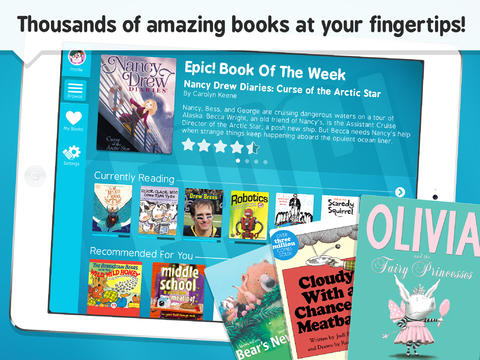
Check out Epic!- Books for Kids (FREE), an eBook library of picture and chapter books that can be used to present language-enhancing books in interactions with your students. Epic! offers thousands of narrative and expository books from major publishers such as HarperCollins, Scholastic and National Geographic. The app/website offers features facilitating an engaging presentation of a book to a group of students via an iPad, including zoom in/out to page and "read to me" audio available for some books.


Be sure to register for an educator account, which you can do through the website (there is also an app but in tele you would want to use the site for simplicity)

Epic! features a number of books I have used for language development over the years, and I have been finding other great options through the app. For example, the books Scaredy Squirrel and Scaredy Squirrel Makes a Friend by Melanie Watt offer the following "Speechie" book features:
-A narrative structure featuring problem, reaction (or attempts to solve) and conclusion
-Many expository elements presented in an engaging, fun way, e.g. animals Squirrel is afraid will bite him, sequences and connections between items and their functions.
-Text features such as diagrams and flowcharts that are helpful for scaffolding understanding (and seen in textbooks that students must grapple with in their classrooms)
-Contexts to explore social cognition strategies such as Zones of Regulation and the CBT paradigm of risk vs. opportunity (i.e. reframing anxiety-producing situations as opportunities to learn).
-Potential to screen-shot illustrations and pair with Strip Designer to make comic strip conversations about the character's thoughts and perspectives.

In my presentations on this topic I often include this reference that is very on point regarding the utility of this app:

The act of reading books aloud interactively and using scaffolding to support children’s use of more advanced syntax, vocabulary and critical thinking is itself an activity which addresses language development (Beed, Hawkins, & Roller, 1991).

So, for a source of books "at your fingertips," give Epic! a try. For tips on interactive reading aloud, see here or here, as well as Jim Trelease's Read Aloud Handbook and Jane Gebers' Books are for Talking, Too!

Beed, P.L., Hawkins, E.M., & Roller, C.M. (1991). Moving learners toward independence: The power of scaffolded instruction. The Reading Teacher, 44(9), 648-655.

Saturday, March 21, 2020

Making sure you are aware...PD opportunities

There are several great PD opportunities online this week:

CSHA and SpeechTherapyPD's Teletherapy Bootcamp (Monday 3/23)

SLP Telecon sponsored by SLP Toolkit, The Informed SLP, and Bjorem Speech Publications

Both are free, offer ASHA CEUs, and have live viewing or playback opportunities.

I'm registered for both; the agendas look very helpful for anyone figuring out how to continue to provide services within the current situation.


Thursday, March 19, 2020

What to: Sharing Screens, Giving Remote Cursor Control, Using Interactive Websites in Distance Learning and Telepractice

Or, Telepractice with a Teddy Bear.

Continuing to work here to share information for those who are considering or working to transition to telepractice given the ongoing Coronavirus Emergency. I am going to focus on "what to" rather than "how to" but this post has a little of both. In presenting with some amazing experts, Amy Reid and Nathan Curtis of Waldo County General in Maine, I have liked to say "I'm not a telepractitioner, but I play one on TV." I'm the SLP/Instructional Tech Specialist, so there's some overlap, but I'm only an emerging telepractice SLP. But I hope this is helpful.

Using Zoom (you decide what tier and apply HIPAA procedures) and other platforms you can move from videoconference to screen sharing and then remote control/giving the mouse and keyboard control to the student participant, shown here in my video:


Main idea: screen sharing and giving interactive control to the student (you can always take it away) opens worlds of contextual activities. The one shown was Draw A Stickman (I'd recommend ep 1-2)

Using interactive websites allows you to work in context; just do a little task analysis. Draw a stickman lends itself to extracting a narrative, sequencing, and using verbs and causal and conditional structures (because, so, if/then).

Some other sources of interactive websites:
-Look on Pinterest or Google in general or for a topic e.g. "interactive websites trees." (there are not many good speech-language specific interactive websites so remember, task analyze..."oh this one has categories.")*

-PBS Kids is ripe for Task Analysis

*flash based websites becoming outdated and may be an issue. If it doesn't work for you, keep looking. Develop a Google Doc or other repository of sites you like and share.

If you have other sources of interactives you like, please let us know in the comments.

Wednesday, March 18, 2020

ASHA presentation 2019 on Telepractice

Through this crisis I will be attempting to provide as much information as possible here to support clinicians working to support their students at a distance.

This presentation I did with Nathan Curtis and Amy Reid of Waldo County General Hospital (and shared here with their permission) is about the "what to" (best practices, EBP, and methodologies) of telepractice/distance learning rather than the "how to" (platform to use, technical aspects etc). For the how to (and "what to" also) I'd refer you to the amazing Tara Roehl, who is offering a "crash course" here.

The main ideas here are around the evolution of telepractice beyond the "what tos" and alignment with best practices. Simple technologies- authentic photos, PowerPoint- alignment with curriculum and themes, and use of story grammar strategies, narrative, expository resources and online videos are discussed (SGM® icons used w permission of Mindwing Concepts). Some slides will look blank as I needed to remove photos of children.

Access the presentation here (please do not request permission to edit the slides, you can simply go to the File menu and select Make a Copy and it will save to your Google Drive if you like)

 
.