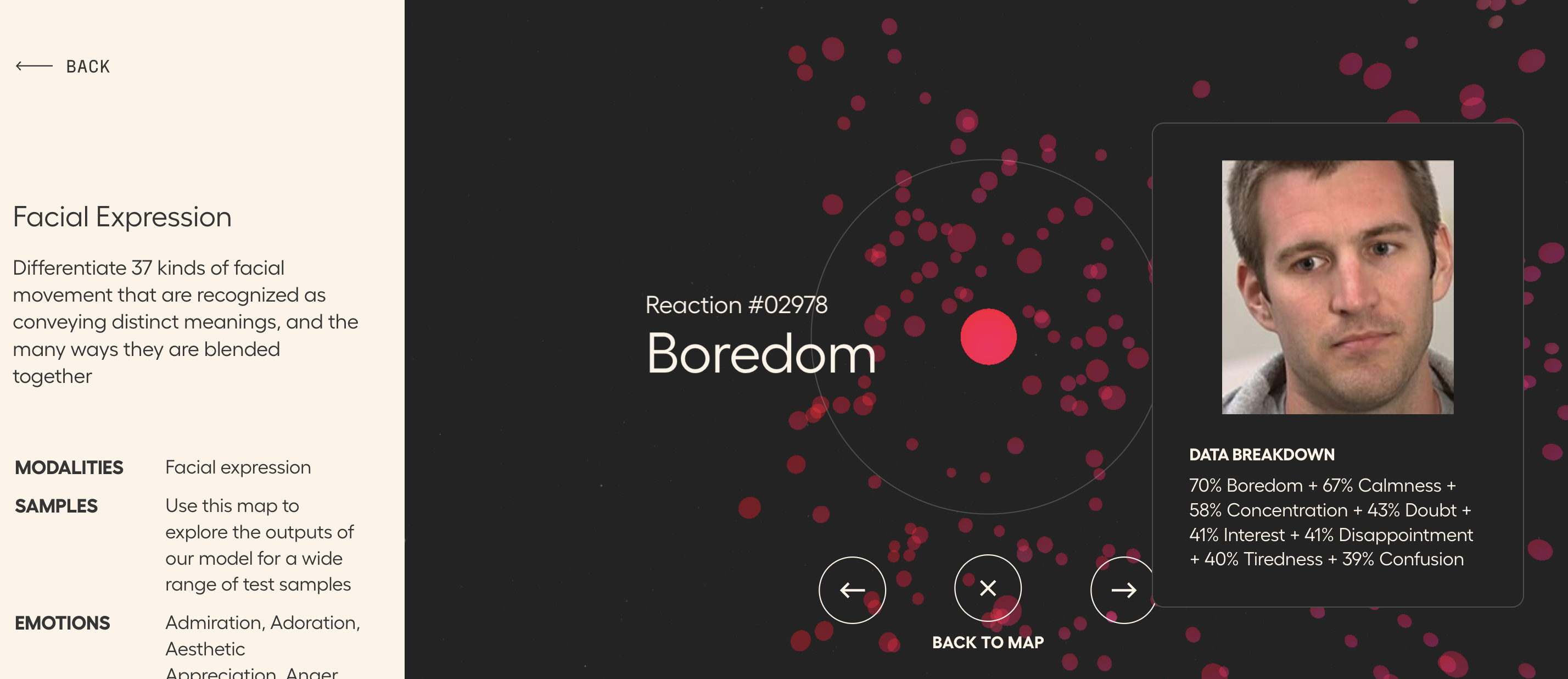
Check out Hume AI's website for a number of maps of various types of nonverbals that may be useful to you in therapy activities, particularly with teens, young adults or adults. I say that because some of the content on the website-- particularly the expressive language map-- is more mature.
I'd suggest starting with the facial expression "galaxy" as I labeled it with students. Click within a cluster and explore nearby facial expression to discuss, for example, what makes surprised look surprised, in terms of what the face is doing.
Scroll down on the main site and you'll see other datasets such as Emotional Speech, "Recordings of sentences being spoken in dozens of emotional intonations around the world"
Museums appealing to children are often a great source of interactive websites. I liked this website years ago (see the blast from the past) and the now Plimoth-Pawtuxet Museum has redesigned it with a modern look and perspective. Pre-and a little post-Thanksgiving, you could bring some groups through this "adventure," the conceit being you are a teenage reporter investigating some Wampanoag and Pilgrim sites. I might be biased as a Massachusetts guy, but it's a nice site for students to practice discussing what they see in pictures, processing information, and there are some sequencing and word-fill interactives. There is a lot of content here and seemingly no way to save progress, but you could just visit a few of the sites or keep tabs open if you want to continue.
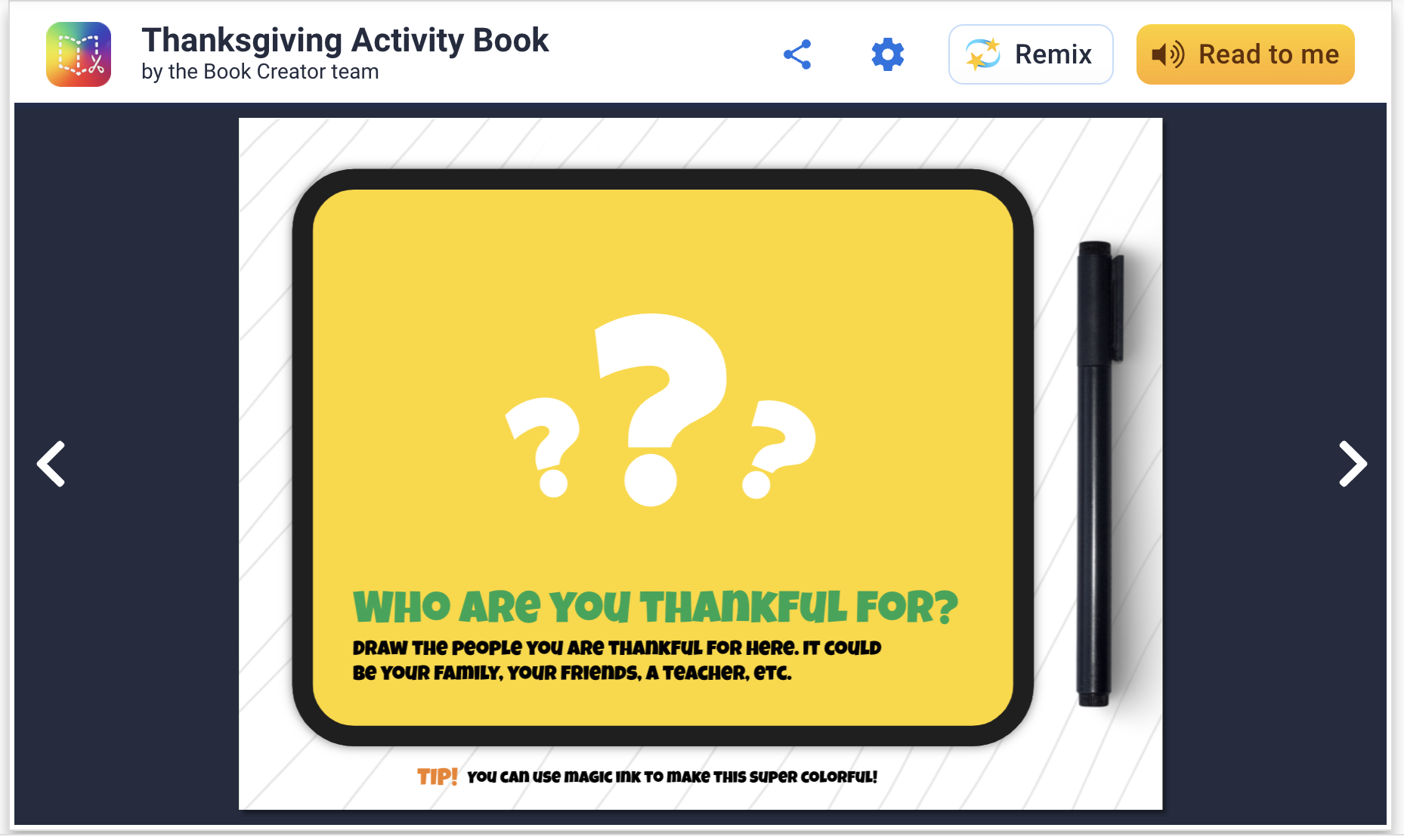
Book Creator has long been a stellar app/webtool and recently I discovered that they have templates to "remix." You can add templates to your app and do a collaborative work on your iPad among students, or if in a Chromebook environment your free account will allow you to share with students' Google accounts easily. This is an attractive option because, well, they are attractive and you don't have to design the book yourself. Richard Byrne describes the magic ink and autodraw features here.
These "activity books" are filled with language underpinnings like storytelling opportunities, semantic knowledge and vocabulary. You can easily copy and modify any page to cater to your students before starting the activity. For example, on this page below, you can zoom in on a map and have kids in the group find out where others live (generally) for spatial/academic/biographical knowledge of others. Additionally, with this template, gratitude is literally good for your brain to practice all year long.
Hi everyone! In July I was honored to present at the SLP Summit. I’ve expanded on that content and have a new 1.5 hr on-demand course available for you to earn more CEUs! We know one hour isn’t always enough so this is a chance to dive deeper into some fun, new content.
“Amazing & inspiring!! I came away with tons of ideas to use in therapy that my kids will love! Thank you!!”
“EXCELLENT COURSE! Jam packed! Thank you!!”
“Excellent presenter! Terrific demonstration of the different tech tools available for narration, not just providing links, but describing their use and demo'ing how to use them.”
“Loved all the practical ideas given. Even though I have used some of these tools, I still learned so many new things and features.”
And that’s not all! Need more CEUs? The course below is also now available for free!
Looking for an engaging activity this Monday? Check out this fun one from Control-Alt-Achieve (also a great resource in general). In this you use Google Docs as a visual creator to make a Halloween "Rebus" story. I have mentioned before the principal that typing into a white space is a visual support for language formulation and (many of) your students will be engaged by it- tech integration need not always be super interactive or fancy! This activity integrates the use of emoji and don't miss the way expanded context provided by going to what is now available as Insert>Emoji. How fun! I did this activity with several middle school groups this week and they were super-engaged. In addition to targeting some story grammar, complex sentences or vocabulary, I integrated the work described in this ASHA article to make this an improv game focusing on conversation building and flexibility. Note: I always accompany some encouragement of "yes, and" with neurodiversity- and human-affirming takes on "it's also ok to say no."
It doesn't have to make total sense, haha. In another group, a kiddo told me he hated this font, lol. So we changed it, easy enough!
Try this Google Earth "quiz" on animal sounds from NPR's Science Friday to engage your students! I have mentioned before and on the Talking with Tech podcast that quiz-like activities can be a great way to build semantic knowledge and structure a conversation. In addition to prompting attentive listening, this one will let you play animal sounds, sometimes hilarious, and discuss:
-descriptive attributes from the photos
-animal groups and families
-geographic locations and descriptions of settings!
It is a great way to tie in with a classroom unit on the continents, habitats, or other geography or science content.
Back in May, I had the wonderful fortune of recording with Chris Bugaj and Rachel Madel for their terrific podcast, Talking with Tech. They split the conversation over two episodes which came out in the past few weeks!
I have been lucky to know Chris and Rachel personally over the past years, seeing them IRL most recently at ASHA Convention in Washington, DC. It was great talking with them and the conversation flowed very freely. Rachel and Chris centered the convo around my Jeopardy! appearance but had many brilliant tie-ins to issues of accessibility and generally about language, so it will be fun to listen to even if you are tired of hearing about [that game show]. They also include their own segments with some great discussion of AAC topics, and we go into my FIVES criteria for evaluating technology resources as potential SLP tools as well. I hope you'll listen and keep listening to Rachel and Chris--also be sure to see them present if you ever get the chance!
The episodes are available below via Spotify but you can also listen wherever you like to hear podcasts (Apple Podcasts, etc)
In my session on creating "stories" for SLP Summit last week (recording available free until August 15, Register here), I focused on thinking about features of resources that might make a clinician pick one over another. You may pick Pic Collage if you like using your iPad, doing a pass-and-add playlike activity (I learned from the authors of We Thinkers that add-a-thought=play=conversation), or want the versatility of being able to quickly cut around any image. You may have seen in my recent post on Google Slides/Jamboard that this is not always QUITE as easy there. So always be thinking FEATURES.
Pic Collage, free, available for iPad, Android, and runnable on new Macs (M1 chip) allows for the creation of a visual as-you-go, so that student contributions to the context can be instantly reinforceable, and it is easy enough for them to use themselves. The menu allows you to add photos from your library, search the web for photos (a school-clean version of BING), and also add text or doodles (powerful because you can sketch things that may be hard to find photos of, or sketch over a photo)
As I showed in the session, you can start with a setting (story element teaching) and add elements of the setting (descriptive sequence level of narration) or introduce an initiating event, such as the bear! Double tap on any picture you add to be able to "trim" around it.
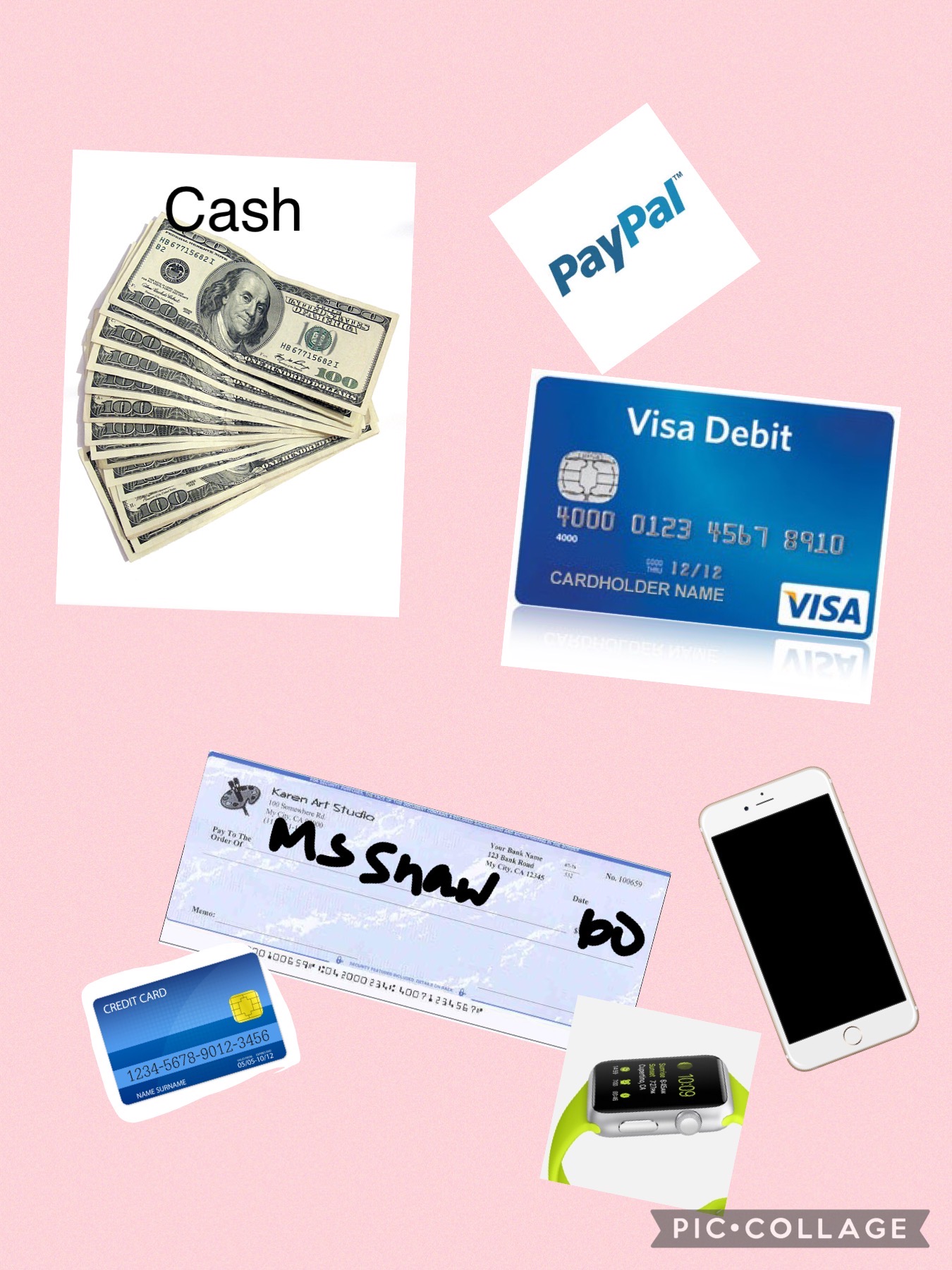
We also talked briefly about expository vs. story language (a good resource is here) and adding to LISTs-one key informational macrostructure- can also be a playful or academically important task. This was made with Pic Collage with/for a student who was learning about the topic/list of "different ways to pay" during a consumer science class.
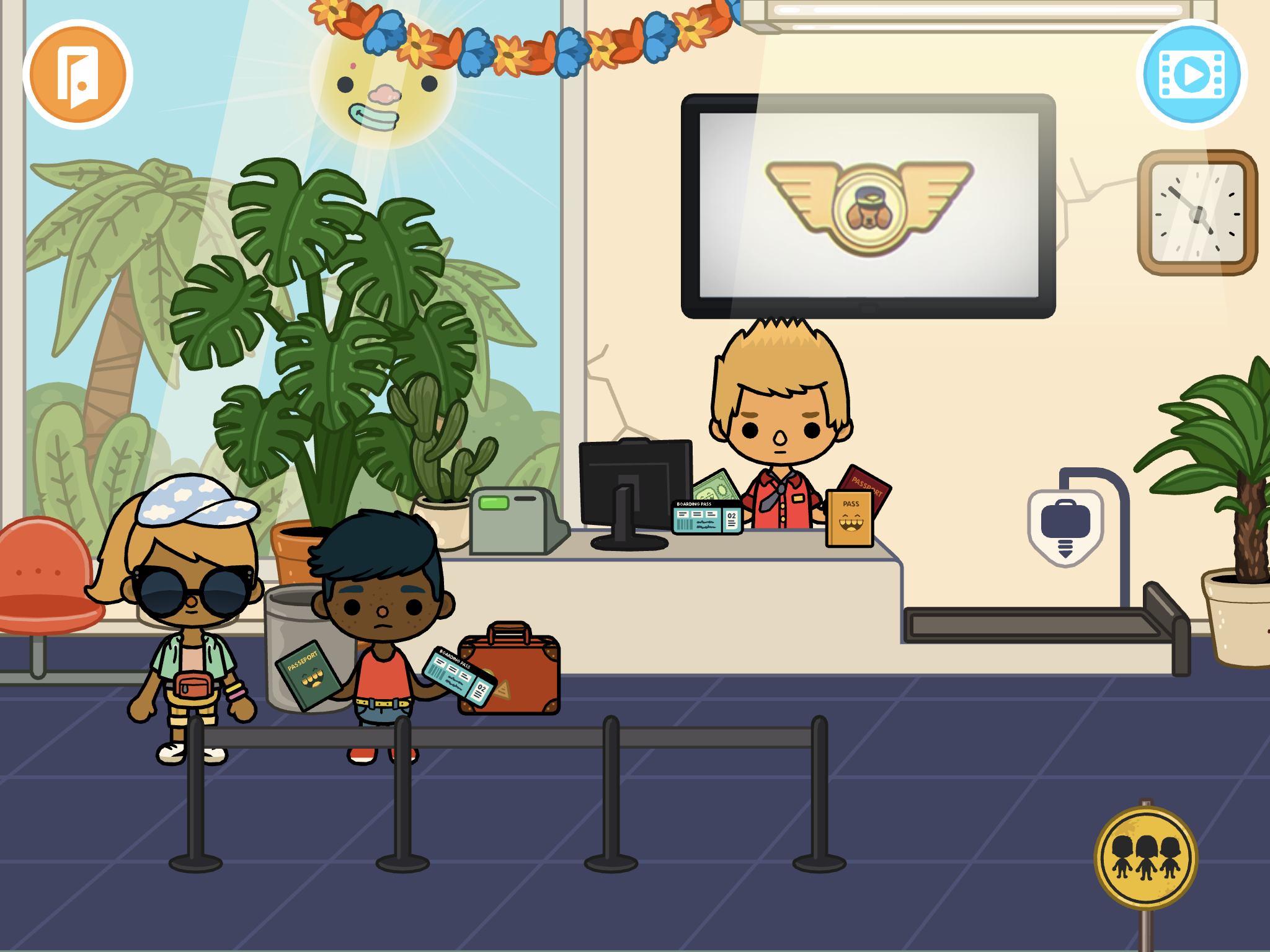
Continuing here to post some companion pieces to my session this week at the SLP Summit (available in its recorded form with others until August 15, register here). One of the app resources I discussed were those available through Toca Boca's Toca Life apps. These are available individually, for example, Toca Life: Vacation which I will discuss here, or the Toca Life: World (also playable on newer Macs w M1 chips) has a way of pulling together your previously purchased apps.
The Toca Life apps are just filled with real-world contexts and therefore can be used to model, co-create, and play out stories in very structured ways or loosely. Make a scene, involve lots of movement onscreen, or record whatever you do as a story through the screen recording feature. This can be done individually or with a group taking turns, or as explicitly or implicitly as you see fit (e.g. with story grammar cues or not). See my recent post on Mindwing's blog about models of learning and instruction.
Taking Toca Life: Vacation, let's consider how the context can lead us to scaffold a bunch of different stories with students.
Airport: Besides the process of arriving, checking in, going through security, waiting at the gate, and taking off in the plane, what if...
1. You need to buy a ticket (use the ATM etc)?
2. Your flight is not listed on the board of funny-sounding destinations and you need to ask for help?
3. You left something at home (if you have Vacation and City added in Toca World, you can move characters in and out of the panel at the bottom and change locations)?
4. A parent surprises you at school with a vacation (same, start at School and move the characters to the airport in Vacation)?
5. Your flight is delayed (good vocab word)?
6. A dog flies the plane and you don't end up where you planned?
This or other parts of the app could be used in conjunction with Google Earth to "fly" to a location and see some landmarks in 3D!
Hotel: Besides checking in, taking the elevator to your room and doing hotel stuff (bathing, sleeping, changing from your luggage, etc), what if...
7. You win a shopping spree at the gift shop?
8. You eat EVERYTHING at the buffet?
9. You make a mess of your room and need help or equipment from housekeeping?
Beach: Besides all sorts of watersports and maybe a wedding (?), what if...
10. Someone gets trapped on the island?
11. The fish get silly and decide to live on land?
And don't miss the treasure chest out on the island...
As I mentioned in the session, check out short videos like this that can show you lots of potential stories you wouldn't even know were there!
I had great experience presenting live for SLP Summit yesterday! The people and responses were wonderful. My session will be available in its recorded form as will the other excellent presenters' until August 15. Register here, the conference is presenting more live sessions practically as we speak; CEUs for live/recorded sessions are available for a small fee. To thank the many who attended and (I noticed!) subscribed to this blog as a result of the conference, I thought I'd elaborate on the content with some additional examples over the coming weeks.
In the session I started by describing how Google Slides and Jamboard can be used to create, interact with and retell stories through activities like making a scene or story mapping. I had previously posted a video on this you can check out. Another example is making a visually supported story retelling activity, in which you can think of Slides or Jamboard as sort of like the old Colorforms- images you insert can be like your stickers!
You can do this with most any context or story, but this past spring I really enjoyed reading We Found A Hat (Jon Klassen) with some groups. There are others in this series but they are a bit darker in ending. The author uses exaggerated eye illustrations (and not much else) to signal thoughts and intentions. Use the book or a video like this one!
For a playful way to work on retelling, make this book a scene. You can do this in either Slides or Jamboard. Slides would offer you more ways to play with formatting; Jamboard would allow easier collaboration (and if you wanted to sketch to change/highlight eye gaze you could do it more easily here). The basics as I show below would be the same.
Start with a blank slide- (either remove any text boxes and such or insert a new blank slide). If you have nothing selected on the slide you should see Background on the bottommost menu. Click that, Choose Image and the Google Image Search choice usually does a good job for any kind of background.
For your mobile (to click and drag about) turtles and hat you can try Insert>Image>Search the Web. This worked well for a hat. Remember to use the term PNG to try to get images without backgrounds.
Sometimes you may have trouble getting images that actually are PNGs. I just go over to Google Image Search (open a new tab and search on Google, again using PNG). From here you can right click and copy images to your creation.
A word about this- be aware of copyright, don't republish or attempt to sell something you have created using Google Images unless you have searched for images that are ok for reuse. This goes for all digital storytelling creations.
Here I copied and pasted the turtle and clicked on Format Options to flip one of them.
From here, use your imagination!
-move the elements to model a story retell and then have students do the same (a SmartBoard might be fun here)
-You can make Google Slides look less cluttered by collapsing menus or hiding elements under View.
-Add text boxes or shapes for dialogue.
-Make a "same but different story" where the turtles find something else besides a hat. Would they make a different decision? Why?
-Talk about cool things you've "found" (bridge to personal narrative)
SpeechTechie is my take on simple and interactive technologies you can use in language lessons and interventions. Enjoy!
Interested in learning more? I am available to conduct professional development sessions, including via webinar. If you'd like to work with me to design a presentation or consultation for your school or organization, please check out the "Work with Sean" page on this website.
Sean is a MedBridge instructor for several courses (avail. Feb 2018). Click to join MedBridge at a discounted rate for high-quality online PD and CEUs. A wide variety of courses are available for SLPs.
Visit and "Like" our Facebook Page
Follow SpeechTechie on Twitter for updates!
Thanks, Guys!
Click on the badge to explore a ton of great blogs!