
WWF Free Rivers app (free, in another sense, for iOS and also Android devices) provides a cool, "immersive" experience where students can view a river and its effects on the landscape, weather, animals and people around it. The app uses augmented reality technology, overlaying a riverscape and also a world map over your teaching space (e.g. a floor or table). It is extremely easy to navigate and provides student-friendly language (and audio) about the water cycle, where you can make it rain and view above and below the clouds, the cause-effect of damming a river, and other material presented in a storytelling format. The app would be great for providing visual support and engagement in language such as:
-geographic features and landforms/continents (language/categories of social studies)
-weather processes (language/sequences of science)
-expository text structures such as cause-effect
-simpler observative social processes such as "thinking with the eyes" and "making a smart guess" (see work of social thinking)
See video demonstration here or below.
Be sure to install this free app on your iPad for the upcoming school year- you'll surely find a context to use it in syncing with classroom curriculum!
Considering your professional development schedule next year? Check out Sean's offerings for training sessions.
Showing posts with label social thinking. Show all posts
Showing posts with label social thinking. Show all posts
Wednesday, June 26, 2019


Thursday, May 30, 2019
Use Google Earth to Preview Community Settings/Walks
Walking is important. I always notice that I get a broader view of students' overall social functioning when the group is moving around. A table provides a grounding space that often regulates students; they don't have to think about using their eyes to assess space and monitor their own physical presence as much at a table. So take a walk! A community or neighborhood walk provides the opportunity for pre-lessons and post-review of your activity.
One great resource for this is Google Earth. On the Google Chrome Web Browser or Chromebook, or via the iPad app, this free resource literally allows you to "walk" through any area using Street View. To jump into Street View, after searching for a key address (use the magnifying glass icon), drag and drop the yellow "Pegman" onto the map, any point on the blue lines that indicate Street View access:


Considering your professional development schedule next year? Check out Sean's offerings for training sessions.
One great resource for this is Google Earth. On the Google Chrome Web Browser or Chromebook, or via the iPad app, this free resource literally allows you to "walk" through any area using Street View. To jump into Street View, after searching for a key address (use the magnifying glass icon), drag and drop the yellow "Pegman" onto the map, any point on the blue lines that indicate Street View access:

Some lesson points:
-Have students observe and look for community locations, both while using the arrows and moving "down the street" in Street View and actually walking down the street. This is a "Thinking with the Eyes" (see Social Thinking®) task that could be made more structured with a scavenger hunt.
-I am all about crosswalks. The navigation of crosswalks is a safety and lifeskill but also social task that many students at all levels struggle with. I generally see my students continue to converse as they walk up to a crosswalk and then stand there, waiting for me to direct them. Previewing these areas is also helpful in Google Earth.

This particular crosswalk has no street light to tell you what to do. You need instead to observe cars coming from each direction, as well as their directional signals and the drivers' eye gaze, to determine when to initiate a cross. A lot of social cognition involved there! A screenshotted image such as this could also be imported into Google Drawings, where you can sketch stick figures for guidance (a form of Comic Strip Conversation).
Considering your professional development schedule next year? Check out Sean's offerings for training sessions.
Thursday, May 16, 2019
Out of the Loop- a fun social game
Out of the Loop is a great game to try with any of your groups (free for iOS and Android, additional content packs with in-app purchases). I used both with a high school and upper elementary group. It first of all has figurative language in its title-- I asked two of my groups what this commonly used idiom means, and none of them knew. Teachable Moments!
-The game is played by entering player names and then passing the iPad to have each player (3+ players) follow the on-screen prompts.
-All players are shown a word except for one, who is Out of the Loop. Players need to position their screen so that no one sees, a good opportunity to emphasize Thinking with the Eyes (see work of Social Thinking®).
-You can also pre-teach the concept of bluffing and "going with the flow" (flexible thinking/adding thoughts) so that no one knows which player doesn't know the word.
-Prompts on-screen then tell players to ask a specific player a question about the word, so the responder needs to a) answer promptly so no one thinks they are "out" and b) not answer the question too specifically so players know they are "in".
-At the end all make guesses about in/out.
The game is a good opportunity to emphasize knowing others' names, which are shown on screen throughout as a helpful visual support. I also found in each case I played there were opportunities for language or perspective taking/Comic Strip Conversational review of "notes to self." Out of the Loop comes with a food category, and everyone likes talking about food!

-The game is played by entering player names and then passing the iPad to have each player (3+ players) follow the on-screen prompts.
-All players are shown a word except for one, who is Out of the Loop. Players need to position their screen so that no one sees, a good opportunity to emphasize Thinking with the Eyes (see work of Social Thinking®).
-You can also pre-teach the concept of bluffing and "going with the flow" (flexible thinking/adding thoughts) so that no one knows which player doesn't know the word.
-Prompts on-screen then tell players to ask a specific player a question about the word, so the responder needs to a) answer promptly so no one thinks they are "out" and b) not answer the question too specifically so players know they are "in".
-At the end all make guesses about in/out.
The game is a good opportunity to emphasize knowing others' names, which are shown on screen throughout as a helpful visual support. I also found in each case I played there were opportunities for language or perspective taking/Comic Strip Conversational review of "notes to self." Out of the Loop comes with a food category, and everyone likes talking about food!

Considering your professional development schedule next year? Check out Sean's offerings for training sessions.
Thursday, April 11, 2019
Social Media is Filled With Stories
Exploring situations related to social media is right up our alley as social communication specialists. A client of mine recently started using some supervised group chatting and was making a few minor mistakes. Discussing social media is prime territory for understanding:
-metalinguistics: how text and photo-based communication may not carry the intended message due to lack of inflection, etc
-narrative language: what is the story of this communication? Could it comprise an initiating event that changes someone's thoughts/feelings
-hidden rules/curriculum: what are the overall unwritten guidelines about engaging in texting and other forms of social media?
I found the great visual resource from the Excuse My Speech Teacher's Pay Teachers' Store "To Text Or Not To Text" to be very useful and engaging for my student. The packet contains screen-looking visuals and interactions to determine "expected vs unexpected" (based on the acknowledged work of Social Thinking®) and how to respond, among other visuals. I actually reviewed these with groups onscreen/AppleTV.
The CyberSmart Curriculum (now updated, still FREE, and associated with Common Sense Education) provides great lesson plans for different grade levels and topics, including videos and interactive activities.

-metalinguistics: how text and photo-based communication may not carry the intended message due to lack of inflection, etc
-narrative language: what is the story of this communication? Could it comprise an initiating event that changes someone's thoughts/feelings
-hidden rules/curriculum: what are the overall unwritten guidelines about engaging in texting and other forms of social media?
I found the great visual resource from the Excuse My Speech Teacher's Pay Teachers' Store "To Text Or Not To Text" to be very useful and engaging for my student. The packet contains screen-looking visuals and interactions to determine "expected vs unexpected" (based on the acknowledged work of Social Thinking®) and how to respond, among other visuals. I actually reviewed these with groups onscreen/AppleTV.
The CyberSmart Curriculum (now updated, still FREE, and associated with Common Sense Education) provides great lesson plans for different grade levels and topics, including videos and interactive activities.

Thursday, March 7, 2019
Minecraft (and many other) activities at Code.org
I have previously mentioned here and here that coding activities, though designed for computer science and educational initiatives such as Hour of Code, have a lot of language underpinnings. They are engaging contexts to have students practice following directions, learn vocabulary, and use causal and conditional language in their verbal (or written) interactions. These activities are also great for "Group Plan" work (see Social Thinking®).
Additionally, I wrote about the idea of "flirting" with contexts that you really don't want to get deeply into. Minecraft is one example; kids find it very engaging but playing the actual game is something I don't have time to figure out, and may be hard to structure for efficient use of therapy time. In these cases I might use something defined that is related to the context, such as a video clip that might prompt narrative language.
As in the other coding resources I have highlighted, Code.org provides an easy to use, non technical interface. Intro videos set the context and provide directions, as well as a context for students to practice stating main ideas and the overall plan. Check out the Minecraft activity page- the Voyage Aquatic and Adventurer activities are great places to start, asking students to assemble series of blocks to move and perform simple actions. Code.org can be used without sign-in, but if you create a free account, it will save your progress. The website works on full web browsers (Mac/PC/Chromebook) or in the iPad Safari browser. You can also explore their activities from other contexts, such as "dance parties" incorporating music and app creators.

Additionally, I wrote about the idea of "flirting" with contexts that you really don't want to get deeply into. Minecraft is one example; kids find it very engaging but playing the actual game is something I don't have time to figure out, and may be hard to structure for efficient use of therapy time. In these cases I might use something defined that is related to the context, such as a video clip that might prompt narrative language.
As in the other coding resources I have highlighted, Code.org provides an easy to use, non technical interface. Intro videos set the context and provide directions, as well as a context for students to practice stating main ideas and the overall plan. Check out the Minecraft activity page- the Voyage Aquatic and Adventurer activities are great places to start, asking students to assemble series of blocks to move and perform simple actions. Code.org can be used without sign-in, but if you create a free account, it will save your progress. The website works on full web browsers (Mac/PC/Chromebook) or in the iPad Safari browser. You can also explore their activities from other contexts, such as "dance parties" incorporating music and app creators.

Friday, August 17, 2018
Incorporating Movement in Sessions
A theme of my agendas for sessions last year included engaging my students more in movement. Movement at the beginning of or during sessions promotes self-regulation (it can be a Green Zone of Regulation® "tool") and following a Group Plan (via Social Thinking®) but also can be a way to practice the language of giving and following directions. Anytime we get our regulation-challenged kids up from a table also gives us a lot of teachable moments. With one group last year I did short movement activities we framed as "Jedi Training" as they were all interested in Star Wars. I noted they liked doing activities like planks in unison or one at a time, providing opportunities to "think with their eyes."
Check out Sworkit Kids (free for iOS and Android) which has short "workouts" with exercises shown via video models (also touching on an EBP). It's simple, and you can skip exercises and do what you want within a 5 minute "activity." A lot of these have kids on the floor so you may want to get some mats of some kind. I'm going to try these this year with a few different groups as part of "Jedi" or other themed "training."

Check out Sworkit Kids (free for iOS and Android) which has short "workouts" with exercises shown via video models (also touching on an EBP). It's simple, and you can skip exercises and do what you want within a 5 minute "activity." A lot of these have kids on the floor so you may want to get some mats of some kind. I'm going to try these this year with a few different groups as part of "Jedi" or other themed "training."

Wednesday, August 8, 2018
Still summer...so want some lemonade?
They say August is one long Sunday. Here in Massachusetts we still have about a month left until school even starts, so its difficult to see posts from friends across the country who have already started, as well as the ubiquitous "back to school" and "summer's almost over, so..." ads. It pulls you out of it a bit, you know? I've spent my summer working on getting fit, hiking and doing some traveling, so it's been great. But HOT!
So consider some Lemonade! Remember the old Lemonade Stand game? You are given weather information and need to decide several things: how many cups of lemonade to make, how much to charge for it, and how many signs to make to advertise your stand. In the process, we can engage students in a number of language and social competencies:
-"listening with the brain*" and language comprehension
-using visual supports, however we provide them
-applying functional math and problem solving
-causal and conditional language ("It's going to be hot, SO let's make more cups...")
-following a "group plan,*" i.e. making logical rather than silly decisions to sell as much as possible
*language from the Social Thinking® methodology
Here are two ways to play it.
-Classic Lemonade Stand is a free app for iOS that uses the 'ol Apple IIe text interface, but is still fun
-Toward the end of the school year, I played the Alexa version on Echo Dot (enable the skill by saying "Alexa, launch Lemonade Stand"). This free skill provided a few extra elements that I found helpful: more opportunity for auditory comprehension and listening work, turn taking in speaking, using visual supports, and processing the humor and figurative language offered in this particular skill.
I always like pairing activities for further context, and our students before playing worked together to make a lemonade stand "sign." This engaged them in pretend play and lots of conversation. This could be done with poster materials or with the free app Pic Collage as we did below (You could also do this with Google Drawings on a laptop):

So consider some Lemonade! Remember the old Lemonade Stand game? You are given weather information and need to decide several things: how many cups of lemonade to make, how much to charge for it, and how many signs to make to advertise your stand. In the process, we can engage students in a number of language and social competencies:
-"listening with the brain*" and language comprehension
-using visual supports, however we provide them
-applying functional math and problem solving
-causal and conditional language ("It's going to be hot, SO let's make more cups...")
-following a "group plan,*" i.e. making logical rather than silly decisions to sell as much as possible
*language from the Social Thinking® methodology
Here are two ways to play it.
-Classic Lemonade Stand is a free app for iOS that uses the 'ol Apple IIe text interface, but is still fun
-Toward the end of the school year, I played the Alexa version on Echo Dot (enable the skill by saying "Alexa, launch Lemonade Stand"). This free skill provided a few extra elements that I found helpful: more opportunity for auditory comprehension and listening work, turn taking in speaking, using visual supports, and processing the humor and figurative language offered in this particular skill.
I always like pairing activities for further context, and our students before playing worked together to make a lemonade stand "sign." This engaged them in pretend play and lots of conversation. This could be done with poster materials or with the free app Pic Collage as we did below (You could also do this with Google Drawings on a laptop):

Tuesday, July 17, 2018
On obvious signs and "hidden rules..."
Presenting a video can be a simple use of tech that can establish context, provide visual support, engage students in discussion, and open the door to a related post-activity addressing language skills. A good example is this video which features about 100 unnecessary signs such as:

The video moves quickly, but pause as many times as you want! You can also screenshot to pick and choose signs you'd like to explore (perhaps a good move to work on functional reading). Some ideas on using the video:
-Metalinguistics: what makes the message obvious and unnecessary?
-Social Cognition: the video can be used to have students practice "thinking with their eyes" for the greater context of what makes the sign silly, as well as engaging in humor. Using signs in therapy activities is also a good way to introduce the related Social Thinking® concept of "Hidden Rules" (related to Dr. Brenda Smith Myles' Hidden Curriculum); there are many (more complex than shown here) rules that we need to learn through observation and experience in order to be successful socially.
-Narrative Language: Have students discuss or sketch stories depicting why someone thought these particular signs were necessary. This context would also allow for working on complex language and conjunctions like if, because, and so.

The video moves quickly, but pause as many times as you want! You can also screenshot to pick and choose signs you'd like to explore (perhaps a good move to work on functional reading). Some ideas on using the video:
-Metalinguistics: what makes the message obvious and unnecessary?
-Social Cognition: the video can be used to have students practice "thinking with their eyes" for the greater context of what makes the sign silly, as well as engaging in humor. Using signs in therapy activities is also a good way to introduce the related Social Thinking® concept of "Hidden Rules" (related to Dr. Brenda Smith Myles' Hidden Curriculum); there are many (more complex than shown here) rules that we need to learn through observation and experience in order to be successful socially.
-Narrative Language: Have students discuss or sketch stories depicting why someone thought these particular signs were necessary. This context would also allow for working on complex language and conjunctions like if, because, and so.
Friday, May 25, 2018
Price it Right
Price it Right is a free Amazon Alexa skill that provides for a terrific game-based activity. The skill allows you to have multiple players or play solo against another random user (you don't directly interact with that person). Through the game, items on Amazon are described (e.g. a humidifier or 12-pack of dog food) and you are asked to speak out a price estimate. Closest guess wins! The length is just right for a language activity, about 6 turns. I used this activity with several groups with some previewing to target:
-visualization: for comprehension it is helpful to visualize the spoken description of the item, perhaps you can even sketch it.
-smart guess/wacky guess (Social Thinking® concepts)
-world knowledge and perspective taking: students should develop a sense of what items cost. You can place this idea into narratives about asking parents for items, and the perspective taking aspects involved.

-visualization: for comprehension it is helpful to visualize the spoken description of the item, perhaps you can even sketch it.
-smart guess/wacky guess (Social Thinking® concepts)
-world knowledge and perspective taking: students should develop a sense of what items cost. You can place this idea into narratives about asking parents for items, and the perspective taking aspects involved.
Thursday, May 17, 2018
Video Tips from Students, Part 2
In my last post I discussed how sometimes a tip from a student about what might engage him or a group may lead to a great activity. Another example came from a student who offhandedly mentioned that he likes to watch EvanTube, which he said had fun "how-to" videos. I checked it out, and EvanTube is a "family-friendly" channel full of challenge videos, among other things. I discovered a number of them could be done with minimal or simple materials, and thought that the process of figuring out what is needed, the sequence and overall plan would be a good language, social and executive function activity. The two activities I did with my group turned out to be some of the most fun ones I had this year.
The 3 Marker Challenge turned out to align very well with our social goals as a group and Ward/Jacobsen's Get Ready/Do/Done (GRDD) model. We watched the video:
And interactively completed a GRDD graphic organizer that when complete would look like this (note that the numbers next to the do-steps are estimates of time in minutes, and we used a clock to map these out):

You can access this Google Drawings file here and if you like, make a copy for yourself (File>Make a Copy if signed into Google Drive) to use as a template. It was a very fun activity and we practiced a lot of different skills.
The following week, we tried another! First, we quickly did the Yanny/Laurel experiment (which, incidentally now has its own EvanTube vid), which is a good social activity that underscores that people have different perceptions and perspectives (but pssst. It's Laurel). Related to this is the channel's Backwards Word Challenge:
Great again for goals of executive function, social, and humor but also phonology and just listening! Similarly, we did a GRDD activity- I try not to gather materials for students but ask them to do it, and this included finding an app to do the task. You'll find a free one easily! The results were hilarious and all had a great time again practicing some important skills.
The 3 Marker Challenge turned out to align very well with our social goals as a group and Ward/Jacobsen's Get Ready/Do/Done (GRDD) model. We watched the video:
And interactively completed a GRDD graphic organizer that when complete would look like this (note that the numbers next to the do-steps are estimates of time in minutes, and we used a clock to map these out):

The following week, we tried another! First, we quickly did the Yanny/Laurel experiment (which, incidentally now has its own EvanTube vid), which is a good social activity that underscores that people have different perceptions and perspectives (but pssst. It's Laurel). Related to this is the channel's Backwards Word Challenge:
Great again for goals of executive function, social, and humor but also phonology and just listening! Similarly, we did a GRDD activity- I try not to gather materials for students but ask them to do it, and this included finding an app to do the task. You'll find a free one easily! The results were hilarious and all had a great time again practicing some important skills.
Thursday, April 26, 2018
AR Treasure Hunt App
ARrrrrgh is a free app that lets you perform augmented reality treasure hunts, and is lots of fun (and meets the FIVES criteria). The title of the app is a play on both pirate-speak and AR, augmented reality, the technology that allows us to display digital information over the real world. Sounds complicated, but this app is very simple. One student goes into a space to hide a virtual treasure chest in the floor (in an open area, the camera is activated and can detect walls, furniture etc). The controls are very simple. The student is then prompted to hand over the iPad and the seeker(s) are given a visual guiding them toward an X that marks the spot. When they successfully navigate to that area of the room and dig, a "treasure" is revealed.
My students greatly enjoyed this app! I'd suggest you try it out yourself first so you know how to guide them. Wi-fi connection is best. A number of skills can be worked on with this app:
 |
| App Store Screenshots |
- Social Thinking®: The Group Plan, Thinking with the Eyes, Body in the Group, Smart Guess, Sharing Imagination (also this app could be a good play followup to We Thinkers Vol 2 which has a pirate-themed story/unit)
- Executive function skills of spatial awareness, planning, time management (I had a highschooler who took an excessive amount of time to bury the treasure and a re-do helped him with this skill)
- Language skills of spatial concepts and giving clues
Saturday, February 3, 2018
A Cat in Therapy
Some years ago at the ASHA Convention, I saw in the program a poster entitled "A Cat In Therapy: Cute, but Effective?" I thought this title intriguing and at the same time, funny, and I was sad to have not been able to locate the poster. Fiete Cats AR ($1.99) gives you the opportunity to test this proposition out. AR--Augmented Reality-- is technology that overlays digital content over our world, often through the camera. In this case, the app makes a cat appear in any room, including your treatment space, and offers a number of interactions:
-Name up to 3 cats
-Observe the cat's needs (think with your eyes)
-Pet and play with the cat
-Feed it when it gets dirty (from playing in paint)
-Provide him food and drink when hungry/thirsty
-Put him to bed
-Record your interactions to make a short movie (saves to Photos app)

Effective? Well, for sure the app is engaging, and provides a context for social observation, labeling actions, and using cause-effect and conditional structures.
This app is also a great pairing with picture books (narrative or expository) about cats. Consider making your own "picture book" with Book Creator, which would allow you to import screenshots or the videos recorded within the app. Students can write about their interactions with the cat, a context for any number of objectives.
-Name up to 3 cats
-Observe the cat's needs (think with your eyes)
-Pet and play with the cat
-Feed it when it gets dirty (from playing in paint)
-Provide him food and drink when hungry/thirsty
-Put him to bed
-Record your interactions to make a short movie (saves to Photos app)

My kitty using his litter box ON MY RUG! Oh, NO!
Effective? Well, for sure the app is engaging, and provides a context for social observation, labeling actions, and using cause-effect and conditional structures.
This app is also a great pairing with picture books (narrative or expository) about cats. Consider making your own "picture book" with Book Creator, which would allow you to import screenshots or the videos recorded within the app. Students can write about their interactions with the cat, a context for any number of objectives.
Thursday, January 11, 2018
Teaching in Social Media Contexts
Social Media is part of life--and a good context for targeting social cognition and narrative language. In general, social media is now one context for us all to be sharing our stories through words and pictures, and also is a way we send messages about ourselves and interact around them. Of course this should be self-monitored; I've shared with my students that I set an intention of at least 2 hours daily in which I don't look at Facebook or Instagram (if you have a goal, you need a measurable action plan). Don't always make it, but I'm trying.
A few contexts in which I have used social media in the last several months:
GCF Learn Free has great simple tutorials on social media outlets. These are good if you are working with individuals who want to begin to use social media as an interactive outlet (learning more about others and making connections).
Related to this, I have been working with a wonderful SLP who uses Instagram photos (mine and many others) to help students "get the story" (situational awareness) implied by a photo, make inferences about relationships depicted in photos, etc. Identifying a few resources you can use with students (screenshot, perhaps, instead of showing them your feed) make for great lessons. These students have also stepped into sharing on Instagram with parental guidance.
There are a number of good resources you can use to make mock text conversations, Twitter, Facebook, Instagram and Snapchat posts. These can be great for presenting narratives and exploring expected and unexpected social media behaviors. Just google and you'll find ones like Status Clone- they produce an image of a fake interaction that you can use in an activity. ClassTools.net also has student-friendly versions of these for you to use for co-creation (see their FakeBook, Twister and SMS Generator).


A few contexts in which I have used social media in the last several months:
GCF Learn Free has great simple tutorials on social media outlets. These are good if you are working with individuals who want to begin to use social media as an interactive outlet (learning more about others and making connections).
Related to this, I have been working with a wonderful SLP who uses Instagram photos (mine and many others) to help students "get the story" (situational awareness) implied by a photo, make inferences about relationships depicted in photos, etc. Identifying a few resources you can use with students (screenshot, perhaps, instead of showing them your feed) make for great lessons. These students have also stepped into sharing on Instagram with parental guidance.
There are a number of good resources you can use to make mock text conversations, Twitter, Facebook, Instagram and Snapchat posts. These can be great for presenting narratives and exploring expected and unexpected social media behaviors. Just google and you'll find ones like Status Clone- they produce an image of a fake interaction that you can use in an activity. ClassTools.net also has student-friendly versions of these for you to use for co-creation (see their FakeBook, Twister and SMS Generator).

Here's an example (note: that's not an actual spoiler).

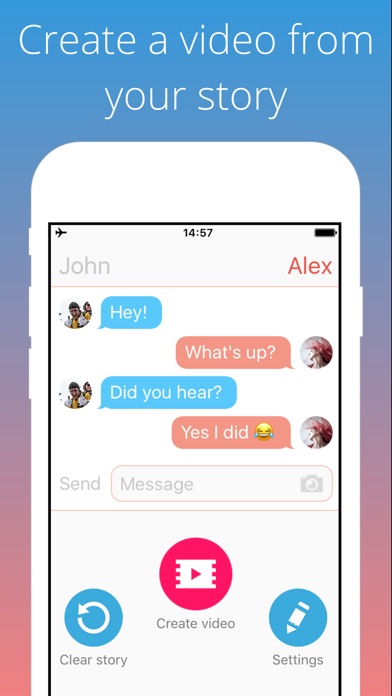
On iPad, I haven't always found similar tools. Social Dummy performs similar functions but I would never use it in front of students because of its horrible name (Dummy meaning fake, not in the way it might be interpreted)! You can use this app to make teaching images saved to your photos app, however. A recent free tool is Texting Story Chat Maker, which allows you to make a dynamic video of a text conversation unfolding. These are additionally good contexts in which to explore the use of emoji, which are easily accessible on mobile devices.
Thursday, December 14, 2017
A Holiday Lesson...
One of my favorite holiday activities with students is to role-play giving and receiving gifts, and here are some updates on that.
You can do an actual gift exchange if time permits, or use an empty box or gift bag for pretend play, but there are some ways to tech up this lesson and add context, strategy and social cognition concepts, and engagement.
This coming week I am going to have students prepare for this activity by reading Llama Llama Holiday Drama (it's available on Kindle if you don't have time to get it). This book explores anxiety and mindfulness, and contains some good "hidden rules" about the season and the meaning of giving gifts. It is also multi-denominational.
I created a thinksheet for the activity which you can access here. Feel free to Make a Copy under File if you would like to modify it for your purposes.

As you can see, the preparation steps will target asking and answering questions, using wondering and People Files about others (Social Thinking®), as well as categorization and making choices. The "Levels of Like" concept is one I learned from SLP Jenny Sojat. She presented on this at a conference and uses this to make group decisions- poll group members to get them to state whether they love, like, are ok with (the "yes" line of compromise) or dislike an idea such as an outing, game, snack, etc. In this case students would just be using to to gauge another's opinion.
Have students save a photo of the "gift" they will be giving. On iPad you can look up photos in Safari, tap to enlarge, then tap and hold to save to the Photos app. If you want to add math concepts and flexible thinking, give them a budget and ask them to look up the item on Amazon.
I'd suggest "wrapping" the gift with Bag Game. It adds an element of a hidden item as the student hands the other student the iPad.
Pre-exchange, the 5 Point Scale provides a great tool. You can emphasize the perspectives and reactions of the giver at each level as well. I like to develop scales with students by using anchor points such as a 5 and 1 and having them label the other levels.

Then, exchange by having students deliver their iPad "gifts" to each other! Another good strategy is to provide an explicit challenge to students to generalize the concepts and report back. For example, ask students to be aware of their reactions when receiving gifts and report back on them. This is always a good narrative development activity as well.
Happy Holidays!
You can do an actual gift exchange if time permits, or use an empty box or gift bag for pretend play, but there are some ways to tech up this lesson and add context, strategy and social cognition concepts, and engagement.
This coming week I am going to have students prepare for this activity by reading Llama Llama Holiday Drama (it's available on Kindle if you don't have time to get it). This book explores anxiety and mindfulness, and contains some good "hidden rules" about the season and the meaning of giving gifts. It is also multi-denominational.
I created a thinksheet for the activity which you can access here. Feel free to Make a Copy under File if you would like to modify it for your purposes.

As you can see, the preparation steps will target asking and answering questions, using wondering and People Files about others (Social Thinking®), as well as categorization and making choices. The "Levels of Like" concept is one I learned from SLP Jenny Sojat. She presented on this at a conference and uses this to make group decisions- poll group members to get them to state whether they love, like, are ok with (the "yes" line of compromise) or dislike an idea such as an outing, game, snack, etc. In this case students would just be using to to gauge another's opinion.
Have students save a photo of the "gift" they will be giving. On iPad you can look up photos in Safari, tap to enlarge, then tap and hold to save to the Photos app. If you want to add math concepts and flexible thinking, give them a budget and ask them to look up the item on Amazon.
I'd suggest "wrapping" the gift with Bag Game. It adds an element of a hidden item as the student hands the other student the iPad.
Pre-exchange, the 5 Point Scale provides a great tool. You can emphasize the perspectives and reactions of the giver at each level as well. I like to develop scales with students by using anchor points such as a 5 and 1 and having them label the other levels.

Then, exchange by having students deliver their iPad "gifts" to each other! Another good strategy is to provide an explicit challenge to students to generalize the concepts and report back. For example, ask students to be aware of their reactions when receiving gifts and report back on them. This is always a good narrative development activity as well.
Happy Holidays!
Thursday, November 16, 2017
Dispatches from ASHA, Part 2
My second session (I was super lucky this year!) at ASHA revolved around visual supports and the ease through technology tools of...
Co-engagement: presenting a visual material and scaffolding language around it
Co-creation: using a tool that allows us to make something (an image creator, animation tool, book maker, video shooter) and scaffolding language through the process of using the app (not worrying so much about the product).
I stressed that we need to continue to provide visual supports to our students across the lifespan. Since everything to me is narrative in some form, I shared that when I arrived at the convention center I felt very dysregulated and confused by the layout, and that it was helpful for me to make a visual support of where my sessions would be over the two days!

One type of visual support I discussed is the 5-Point Scale, which I have talked about here before. A theme of the presentation was that simple visual tools such as PowerPoint, Google Slides or Keynote are great for making visual supports because (feature-matching for us!) you can easily add images, text, and whatever and move them around. I sometimes make visual supports live with students on these tools and use the Apple TV to engage them visually and verbally (you can do this via a projector or interactive whiteboard in a classroom situation as well).
I made a new 5-Point Scale for a group I have that is occasionally having difficulty with Tone:


Co-engagement: presenting a visual material and scaffolding language around it
Co-creation: using a tool that allows us to make something (an image creator, animation tool, book maker, video shooter) and scaffolding language through the process of using the app (not worrying so much about the product).
I stressed that we need to continue to provide visual supports to our students across the lifespan. Since everything to me is narrative in some form, I shared that when I arrived at the convention center I felt very dysregulated and confused by the layout, and that it was helpful for me to make a visual support of where my sessions would be over the two days!

One type of visual support I discussed is the 5-Point Scale, which I have talked about here before. A theme of the presentation was that simple visual tools such as PowerPoint, Google Slides or Keynote are great for making visual supports because (feature-matching for us!) you can easily add images, text, and whatever and move them around. I sometimes make visual supports live with students on these tools and use the Apple TV to engage them visually and verbally (you can do this via a projector or interactive whiteboard in a classroom situation as well).
I made a new 5-Point Scale for a group I have that is occasionally having difficulty with Tone:

An additional visual support is to create comics, which also can be done using technology. I described how I find Pixton (web only, won't work on iPad) to be a still useful tool because it (feature-matching!)
-has a simple mode for you to make a comic
-has built-in characters and settings
-once you make a comic, you can copy it and change aspects to show nuance/reaction change.
I integrated Pixton into a discussion context with my group (co-engaging over 5 comics showing the different levels) and a game with Kahoot. Kahoot can be both a visual and interactive support as you can add photos and videos to your questions. At my presentation session we viewed these comic examples and the whole crowd played the game:

Hope it was helpful for you to see this snippet of this session. Thanks to those who made it to this or my other session!
Friday, October 27, 2017
Haunted Listening Practice
Amazon's devices powered by Alexa provide great listening and social practice, as I mentioned in a previous post. This week I played the Haunted House skill* with a few groups, and though it wasn't perfect (some choices loop back to a conclusion you've already heard), it is free, engaged my students and helped us work on a few skills and strategies:
-The game is a choose-your-own-adventure style activity where a walkthrough of a "Haunted" House is narrated and you are provided with choices, thereby providing a narrative.
-We imposed a "round the table" rule for answering Alexa, in the process working on "group plan" and whole body listening.
-The auditory input gives you an opportunity to work on the skill of visualizing- consider using your Visualizing and Verbalizing® structure words or having the students sketch a collaborative "map" of the house and the events in different locations, Stickwriting Stories style (Incidentally, there's a good "Scary Visitor" story here to model).

-The game is a choose-your-own-adventure style activity where a walkthrough of a "Haunted" House is narrated and you are provided with choices, thereby providing a narrative.
-We imposed a "round the table" rule for answering Alexa, in the process working on "group plan" and whole body listening.
-The auditory input gives you an opportunity to work on the skill of visualizing- consider using your Visualizing and Verbalizing® structure words or having the students sketch a collaborative "map" of the house and the events in different locations, Stickwriting Stories style (Incidentally, there's a good "Scary Visitor" story here to model).

*Alexa's skills are like apps, so to speak. To use these you will need an enabled device; The Echo Dot is a terrific and inexpensive device. You can enable skills via audio command as shown in the image, but there are several skills with this name. You might want to use the link in my second sentence or look it up in your Alexa app.
Saturday, October 21, 2017
Fun with Mentos
A few weeks ago a colleague started a group session by having the participants guess what was in a bag- and it was apple Mentos. This reminded me of the goofy series of 90s Mentos (the Freshmaker!) ads like this one:
I realized there are a number of good language opportunities in this series and subsequently have had fun using it in groups of teens:
-Wordless materials are often a good opportunity for students to practice narrative language and interpreting nonverbals (my students needed some cues with this, so it was definitely in their ZPD)
-A number of the commercials show someone breaking a "hidden rule" (e.g. we don't block people in when parking), a concept applicable across the day in social cognitive instruction.
-Ads are always fun for having students figure out the main idea or advertiser's intent/implied message: What do Mentos have to do with the situation?
Here are some more:
The Lunch Date
The Broken Shoe
The Car Movers
Fresh Paint
Associated activities:
-Play Foo Fighters' Big Me, which parodies these ads. What's the same and different?
-Eat Mentos!
-Do the Diet Coke and Mentos experiment. Naturally you can't do this in your room so it's an opportunity to have students figure out where you can do it, and practice walking and chatting together with bodies in a group. One of my HS students did a great job of evaluating where we could stage it so that we would not distract any nearby classrooms who might see us out the windows ("thinking with the eyes," among many Social Thinking® concepts)
I realized there are a number of good language opportunities in this series and subsequently have had fun using it in groups of teens:
-Wordless materials are often a good opportunity for students to practice narrative language and interpreting nonverbals (my students needed some cues with this, so it was definitely in their ZPD)
-A number of the commercials show someone breaking a "hidden rule" (e.g. we don't block people in when parking), a concept applicable across the day in social cognitive instruction.
-Ads are always fun for having students figure out the main idea or advertiser's intent/implied message: What do Mentos have to do with the situation?
Here are some more:
The Lunch Date
The Broken Shoe
The Car Movers
Fresh Paint
Associated activities:
-Play Foo Fighters' Big Me, which parodies these ads. What's the same and different?
-Eat Mentos!
-Do the Diet Coke and Mentos experiment. Naturally you can't do this in your room so it's an opportunity to have students figure out where you can do it, and practice walking and chatting together with bodies in a group. One of my HS students did a great job of evaluating where we could stage it so that we would not distract any nearby classrooms who might see us out the windows ("thinking with the eyes," among many Social Thinking® concepts)
Thursday, August 31, 2017
Looking for engaging therapy ideas? Check out Anna Vagin's YouCue Feelings video series
Anna Vagin has been sharing wonderful ideas about using electronic media in therapy. Anna has a strong focus on social learning but her resources on using YouTube also have implications for narrative language, sentence formulation and categorization. I've long been a fan of her YouCue Feelings book (available also as a handy Kindle edition you can put in the Kindle app on your iPad), but she has also produced a series of short videos available on YouTube, including this one featuring recommendations for younger students.
Dr. Vagin (an SLP) shares broad ideas about resilience and friendship here, but the videos mentioned can also be used to work on more discrete skills. I often use her recommendations in conjunction with narrative tools like Story Grammar Marker® so that students "get" the narrative and have practice retelling it. Spins on story retelling such as analyzing the story elements of initiating event, response and plan from two different perspectives are suggested by the Bert and Ernie example (see specifically Mindwing's Perspective Taking or Critical Thinking Triangle maps). Also contained in this video are alignments with Zones of Regulation® and work on categorization (feeling words) and association. The app Lists for Writers is a good source of many lists including emotions and personality traits. Dr. Vagin recommends the use of whiteboards (which I love) but Book Creator or more simply, Doodle Buddy, can also be used for the sketching and association activities (e.g. plane and runway) she describes.
See Dr. Vagin's full offerings here.
Disclosure: author provides blog content for Mindwing Concepts, Inc.
Dr. Vagin (an SLP) shares broad ideas about resilience and friendship here, but the videos mentioned can also be used to work on more discrete skills. I often use her recommendations in conjunction with narrative tools like Story Grammar Marker® so that students "get" the narrative and have practice retelling it. Spins on story retelling such as analyzing the story elements of initiating event, response and plan from two different perspectives are suggested by the Bert and Ernie example (see specifically Mindwing's Perspective Taking or Critical Thinking Triangle maps). Also contained in this video are alignments with Zones of Regulation® and work on categorization (feeling words) and association. The app Lists for Writers is a good source of many lists including emotions and personality traits. Dr. Vagin recommends the use of whiteboards (which I love) but Book Creator or more simply, Doodle Buddy, can also be used for the sketching and association activities (e.g. plane and runway) she describes.
See Dr. Vagin's full offerings here.
Disclosure: author provides blog content for Mindwing Concepts, Inc.
Thursday, May 18, 2017
Social Play With Amazon Echo Dot
I have to admit I bought an Echo Dot because I hate birds. You see, we live across from a park, which is lovely except that around February all sorts of loud birds descend and ruin my life. So it's great to have a device that you can ask, "Alexa, play ocean waves," at 4:45 am and drown all that courtship out.
The Echo Dot ($49.99) accesses Alexa, Amazon's "virtual personal assistant." She's like Siri but, to be honest, better. She recognizes pretty much everything you say, and I've discovered that goes for children as well. Siri remains decidedly like that aunt who doesn't like when children speak. Using Echo Dot involves a simple setup through an app on your phone or iPad, mostly to get it connected to Wifi, and then you are good to go. In addition to accessing music and information by request to Alexa, you can "enable skills" that are more or less like apps, and for the time being, free.

I have been popping my Dot into my bag occasionally to introduce it to my social groups, and it has been a big hit. The kids have some experience with Alexa and find her way cool. But from a FIVES point of view, Alexa is very Interactive and "Speechie," particularly when it comes to working on sharing talk time and using speaking and listening skills (as the Dot is just a speaker, search engine and connection to other programs and microphone to respond, essentially) .
I say this having tried only one activity, which I found via a search of Echo activities for kids and activated the skill simply by saying "Alexa, let's play 20 questions." Alexa's version of this is a game in which you decide the target object (before starting the game) and she asks the yes/no/partly questions. When playing this with a group it was helpful (and contextual!) for me to review a visual about Whole Body Listening Larry and also emphasize the Social Thinking® concept of The Group Plan (activities go best when we follow the group plan so that others think comfortable thoughts about us, rather than our own plan which might bring the activity off track):

In this way, to the kids it seemed we were prepping for the activity with Alexa, but really we were targeting concepts that are important across the day. As usual, the technology can just provide a context to work on communication skills.
I look forward to trying out and sharing other activities with Alexa.
The Echo Dot ($49.99) accesses Alexa, Amazon's "virtual personal assistant." She's like Siri but, to be honest, better. She recognizes pretty much everything you say, and I've discovered that goes for children as well. Siri remains decidedly like that aunt who doesn't like when children speak. Using Echo Dot involves a simple setup through an app on your phone or iPad, mostly to get it connected to Wifi, and then you are good to go. In addition to accessing music and information by request to Alexa, you can "enable skills" that are more or less like apps, and for the time being, free.

I have been popping my Dot into my bag occasionally to introduce it to my social groups, and it has been a big hit. The kids have some experience with Alexa and find her way cool. But from a FIVES point of view, Alexa is very Interactive and "Speechie," particularly when it comes to working on sharing talk time and using speaking and listening skills (as the Dot is just a speaker, search engine and connection to other programs and microphone to respond, essentially) .
I say this having tried only one activity, which I found via a search of Echo activities for kids and activated the skill simply by saying "Alexa, let's play 20 questions." Alexa's version of this is a game in which you decide the target object (before starting the game) and she asks the yes/no/partly questions. When playing this with a group it was helpful (and contextual!) for me to review a visual about Whole Body Listening Larry and also emphasize the Social Thinking® concept of The Group Plan (activities go best when we follow the group plan so that others think comfortable thoughts about us, rather than our own plan which might bring the activity off track):

A visual I made in Keynote and displayed on the Apple TV as we played
In this way, to the kids it seemed we were prepping for the activity with Alexa, but really we were targeting concepts that are important across the day. As usual, the technology can just provide a context to work on communication skills.
I look forward to trying out and sharing other activities with Alexa.
Friday, September 30, 2016
Tap Roulette- A useful therapy tool
Whenever including games or any situation where someone has to "go first," it can be a challenge even among students who don't have social learning challenges. We don't want these decisions to eat up our precious and limited therapy time. I do find that Social Thinking® and 5 Point Scales promote useful self-talk around this:
-Play involves 3 Parts: Setup, Play, Cleanup. Who goes first is part of setup and we don't want it to use up our time playing.
-Using a 5 Point Scale of Problems, going last should be thought of as a small or tiny problem.
However, we still sometimes come to a stalemate over who goes first.
Tap Roulette offers a free, quick, and fun solution that I think superior to the human-error-prone "Rock Paper Scissors" technique. Participants in whatever it is simply place one finger on the screen, tap PICK FINGER and after a roulette-style animation, a choice is made!

Tap Roulette also provides a fun way to work on categories; have students name items in a simple or complex category and run a contest to see which one "wins."
-Play involves 3 Parts: Setup, Play, Cleanup. Who goes first is part of setup and we don't want it to use up our time playing.
-Using a 5 Point Scale of Problems, going last should be thought of as a small or tiny problem.
However, we still sometimes come to a stalemate over who goes first.
Tap Roulette offers a free, quick, and fun solution that I think superior to the human-error-prone "Rock Paper Scissors" technique. Participants in whatever it is simply place one finger on the screen, tap PICK FINGER and after a roulette-style animation, a choice is made!

Tap Roulette also provides a fun way to work on categories; have students name items in a simple or complex category and run a contest to see which one "wins."
Subscribe to:
Posts (Atom)





