Showing posts with label Google. Show all posts

Friday, October 18, 2024

What can we learn from a Pokémon?

This is a question I am often asking my groups that are interested in Pokémon!

My theme here of leveraging student interests (and Pokémon) is not new but I count as an alignment both with the client values prong of EBP and neurodiversity affirmation. 

To that end, a quick techie find and a couple tips. This website has archived images of Pokémon cards over many years. It is searchable so you can look up a specific character but I have just been looking through random sets for the fine print description at the bottom (oh, my old eyes!). These descriptions are helpful not only for the terrific Tier 2 vocabulary but also for opening your students up to social analogies. 

I screenshot the card, put it on a Google Slide like so (screenshotting again the description and enlarging it) and use the good old "we talk, I type" strategy (kids are strangely engaged by watching you type). This allows us to explore topics and tools that I link to strategies like Zones or Autism Level Up, or both. Indeed it does not serve Drampa to destroy his whole environment!


Thursday, August 24, 2023

Finding Categories Everywhere

This summer I became addicted to the New York Times' new Connections puzzle. I enjoyed each morning tackling this often-tricky categorization activity and comparing results (or sometimes providing or receiving hints) with my husband. I've always thought of categorization as one of the most important skills--it's how we organize information, and much expository text takes on a list structure--and our literature backs this up. Approaches like the EET also use Green-Group to target describing by category, among other attributes. We can be explicit with our students (see Ukrainetz' helpful RISE acronym) and teach that categories are important ways to organize and describe words and information. 

ABCYa provides a wealth of categories through its activities- you just have to look for them. 

Take Dress for the Weather- here you've got an engaging activity which contains both weather conditions and clothing items. Take screenshots of relevant items and paste into Jamboard and you've got a followup sort for repetition of the concept, category and skill. 


You can practice contextualized language intervention by locating a narrative picture book about weather, dogs and weather, or weather and clothing and target another skill within the same topic. 

Here's five more categories you can target with ABCYa:

Bandemonium: musical instruments
Find the technology: electronic devices
Make a House: Parts of a house, building materials
Seasonal Shuffle: seasons, months

I'm sure you can identify many more opportunities from this site.

Thursday, August 17, 2023

Music LM

Proceeding from some ideas about the role of music in speech-language therapy (and social coaching), back in the spring I did some activities with MusicLM. This tool is available from Google's AI Test Kitchen, which is free, though you currently have to sign in with a personal Google account and may have to wait a short while to be approved. With Music LM you "Describe a musical idea and hear it come to life." More specifically, type an activity, setting, situation, style, mood, or specific musical instruments, and it will create several examples for you.


The language and/or social interaction can come in through providing schema with the above italicized connections to music, using this as a conversational "add a thought" type activity, and allowing flexibility- as maybe your clients will think of possibilities that fall out of these categories. You can also be more structured and gear a lesson around, say, emotional vocabulary.

Friday, February 3, 2023

ChatGPT- maybe a series?

You probably have heard of ChatGPT, a free Artificial Intelligence chatbot that you can ask for all sorts of information. Yes, we have concerns about it being misused in academia, and I know it may be already blocked in your school building, but thought it would be worth exploring in this space. Ditch that Textbook (one of my faves) provides an exploration of it here, along with suggested classroom uses. For a specific SLP take, check out Bonnie Singer's post here.

For an initial idea on how ChatGPT can be useful in language intervention, let's consider vocabulary- which can be helpful to put in context! I have a student whom I see individually, though these ideas can be incorporated in groups. He loves Pokemon and comes each week with a card he has earned--these turn out to be rich sources of useful Tier 2 vocabulary, and it is motivating for him because he is always asking about the words. As we know, students need multiple exposures to new words, so we use semantic and structural techniques in reviewing and revisiting the words, including making this Jamboard (available through your Google apps):


-Vocab "stories" are so easy to co-create with students. Following the student's interest, we searched for a feline Pokemon and copied a PNG. 

-You can use the Background feature to search for Google Images (how we quickly took Sprigatito from Chicago, the student's choice, international to Venice).

-Sticky notes were used to create the loose "story" (also scaffolded with Story Grammar Marker®)

Back to ChatGPT. Access this by clicking the link, click try ChatGPT, login with your Google, and pose a query. In our case it was "Write a story about a feline Pokemon using the words...(vocab above, another opportunity for the student to generate the words)." The cool and engaging result was as follows:


Yes, wordy, but with opportunities to scaffold comprehension and yet more vocabulary. The student was amazed and so was I!


Tuesday, July 26, 2022

Another example: Storytelling with Google Slides or Jamboard

I had great experience presenting live for SLP Summit yesterday! The people and responses were wonderful. My session will be available in its recorded form as will the other excellent presenters' until August 15. Register here, the conference is presenting more live sessions practically as we speak; CEUs for live/recorded sessions are available for a small fee. To thank the many who attended and (I noticed!) subscribed to this blog as a result of the conference, I thought I'd elaborate on the content with some additional examples over the coming weeks. 

In the session I started by describing how Google Slides and Jamboard can be used to create, interact with and retell stories through activities like making a scene or story mapping. I had previously posted a video on this you can check out. Another example is making a visually supported story retelling activity, in which you can think of Slides or Jamboard as sort of like the old Colorforms- images you insert can be like your stickers!

You can do this with most any context or story, but this past spring I really enjoyed reading We Found A Hat (Jon Klassen) with some groups. There are others in this series but they are a bit darker in ending. The author uses exaggerated eye illustrations (and not much else) to signal thoughts and intentions. Use the book or a video like this one!


For a playful way to work on retelling, make this book a scene. You can do this in either Slides or Jamboard. Slides would offer you more ways to play with formatting; Jamboard would allow easier collaboration (and if you wanted to sketch to change/highlight eye gaze you could do it more easily here). The basics as I show below would be the same.

Start with a blank slide- (either remove any text boxes and such or insert a new blank slide). If you have nothing selected on the slide you should see Background on the bottommost menu. Click that, Choose Image and the Google Image Search choice usually does a good job for any kind of background. 


For your mobile (to click and drag about) turtles and hat you can try Insert>Image>Search the Web. This worked well for a hat. Remember to use the term PNG to try to get images without backgrounds. 


Sometimes you may have trouble getting images that actually are PNGs. I just go over to Google Image Search (open a new tab and search on Google, again using PNG). From here you can right click and copy images to your creation.


A word about this- be aware of copyright, don't republish or attempt to sell something you have created using Google Images unless you have searched for images that are ok for reuse. This goes for all digital storytelling creations. 


Here I copied and pasted the turtle and clicked on Format Options to flip one of them.

From here, use your imagination! 
-move the elements to model a story retell and then have students do the same (a SmartBoard might be fun here)
-You can make Google Slides look less cluttered by collapsing menus or hiding elements under View.
-Add text boxes or shapes for dialogue.
-Make a "same but different story" where the turtles find something else besides a hat. Would they make a different decision? Why?
-Talk about cool things you've "found" (bridge to personal narrative)


Thursday, March 10, 2022

Radio Garden

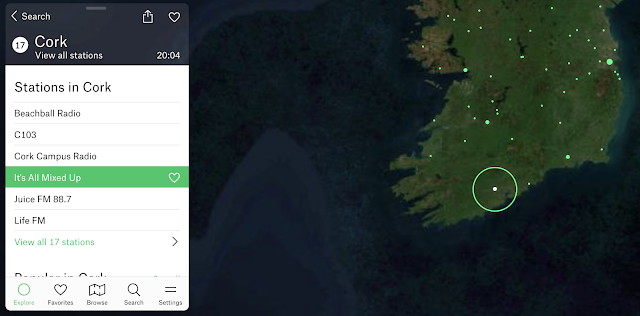
Flowing a bit from my last post (context is your friend), Google Experiment Radio Garden is worth a therapeutic visit. Your students will think it's just a chill moment, but secretly it can be a great way to practice having them call out:

-Continents and then countries
-Responses (conversation/comments) to what they hear
-Characterization of the language (nonverbal aspects such as tone etc) and type of music you may hear. Music genres are a category and can connect us with peers!

Why not pair this with looking up a current event from the country you "visit" for narrative/expository comprehension? 

Now more than ever, it's important to foster global awareness.

Oh, and Happy St. Patrick's Day, here's my homeland:


Friday, September 17, 2021

Consider This: Make A Scene

Tech-based scenes, in which story grammar settings are presented and we can add characters and objects, suggest the creation of stories and other language targets. One of the simplest series of tools for this is the apps from, well-titled, make a scene (inexpensively priced at $.99 for iOS, Amazon devices and Android Tablets). These include themes that can be used to build semantics such as Dinosaurs, Jungle, Polar Adventure and Transport. The apps are simple, promoting use for many grade levels ranging down to preschool. Additionally, each app contains related scenes to choose from for a variety of stories to create.

Make A Scene: Transport. Create a traffic jam for an "initiating event!"

Consider This:
-Make A Scene apps and websites (fewer options) function like a stickerbook or (if you remember) Colorforms for very simple co-creation activities.
-The iPad remains alive as a great tool for clinicians to have on hand for its portability, ease of use, and functions such as screenshotting which allow you to revisit previous creations and the language involved with them. The iPad can also be mirrored to computer screens for use in telepractice, or connected to a projector or interactive whiteboard in a classroom.
-In addition to story creation, scene creators can be used to target microstructure aspects: vocabulary, elaborated noun and verb phrases, syntax and sentence formulation e.g. temporal and causal clauses.
-Scene creation begs for pairing of apps with picture books of similar themes to set a larger context in therapy activities. See my free booklet on this topic on Teachers Pay Teachers.
-Particularly for telepractice, to allow for interactivity it is easy to create your own scenes in Google Slides. Students can interact with the scene through remote cursor control or setting the sharing settings to allow the student to edit the Slides. 

Interested in professional development for your department, school, or organization? Sean is booking in-person or remote trainings for the 2021-2022 school year

Thursday, March 11, 2021

Strategies for Using Picture Books on YouTube

As I have, for now, continued to be doing mostly teletherapy for the past YEAR (that anniversary has been painful, so apologies for the quiet blog), I have found picture books invaluable. Pssst...shhh...largely any picture book you might want has a YouTube read aloud.

One strategy I use is to evaluate what's there, as often several are available. I prefer those that look more slide-show than a person with a book, and also tend to avoid videos with too much zooming. Going full-screen with the video by clicking the lower right icon is helpful.


This facilitates the second strategy- YOU read it aloud. This allows you to pace, pause, and interact with your students (e.g. model think alouds, direct their attention toward illustrations that foster inferences, use questions...). Turn that video sound right off!

So, for example, take How to Catch a Leprechaun by Wallace and Elkerton. This duo's series about catching various creatures has given me a ton of mileage with one particular group. They are not at all game for too-structured conversation, but keep it naturalistic with rich illustrations that have "things to say" that are not described in the text, and they talk! This one may help you in the coming week. There are a number of read-alouds of this book that you can compare to the simple one by PV Storytime. Search the book on YouTube to see what I mean.


There's also the handy The Night Before St. Patrick's Day you can use to do a topic study. Jamboard would be great for constructing Leprechaun Traps, see Julia Dweck's fantastic Rube Goldberg Jam as an example of what's possible (and all her great, very useful work on her LinkTree). EDIT- Julia has just added a fantastic How to Catch a Leprechaun Jam that would be a great post activity for the above book.

Saturday, February 6, 2021

Playing games with Jamboard (Whoonu)

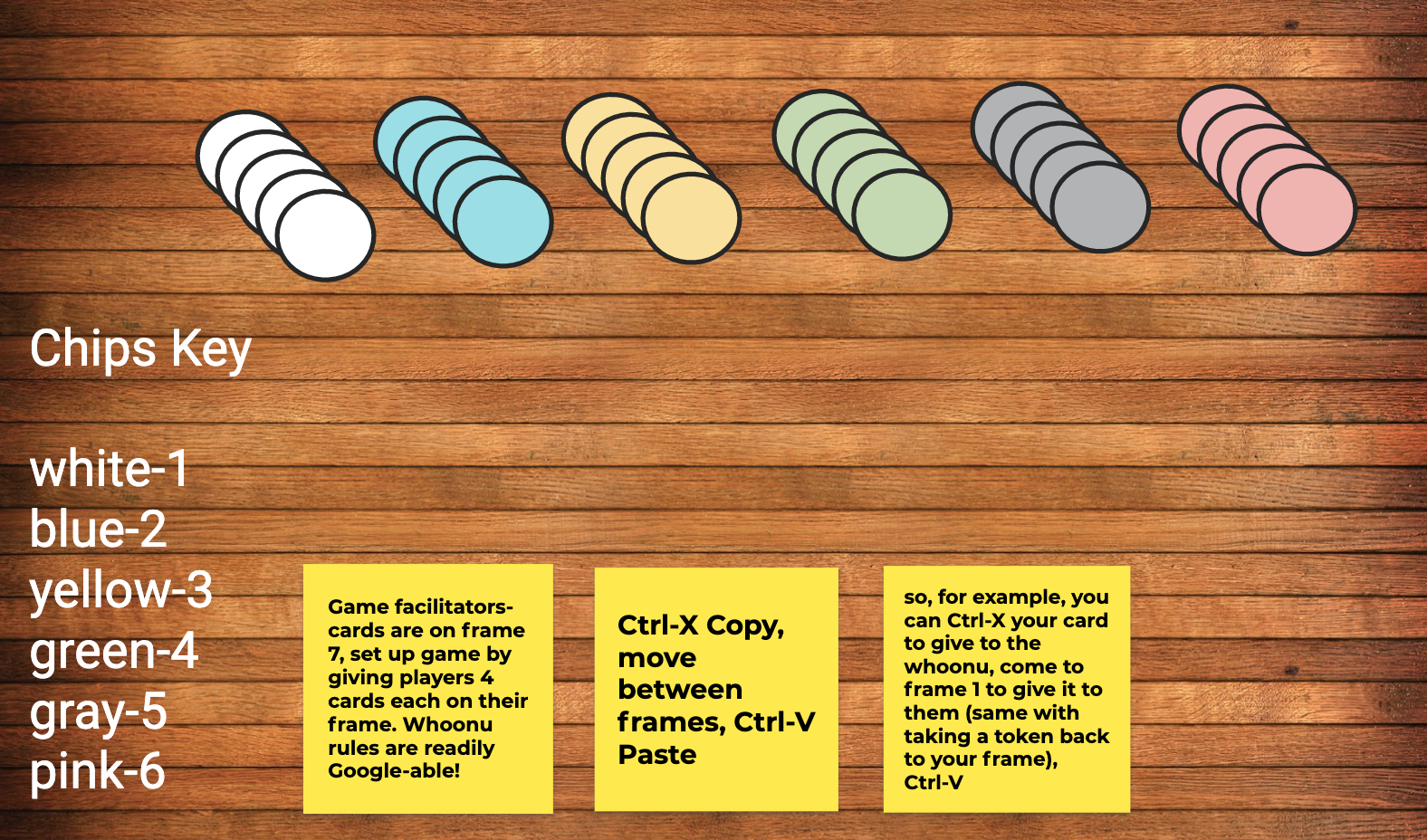
I have been researching and using a lot of Google Jamboard recently, and realized that it provides a good "table" to play games. One of my faves ever is Cranium Whoonu, a great get-to-know-others game. In Whoonu, players have cards with activities, places, and things on them, and they make guesses about a target (rotating) player's favorite things. That player (the Whoozit) then sequences them in order from most (most points) to least favorite, and players take tokens indicating their score.

The full rules are here.


And here's a game template for you! Click to make a copy and edit to your heart's content. To use in a session, make a copy for your group, change sharing sessions to editable with the link, and share in Zoom, Google Classroom or wherever.


Saturday, January 30, 2021

A few Google Experiments for you

Google Experiments are, well, experimental websites that play with new features and aspects such as artificial intelligence (AI). These can show great use of the I- Interactive aspect of my FIVES criteria, as well as the V-Visual, and thereby be great contexts for language use. 

Check out QuickDraw, which gives you 20 seconds to draw an object. You have pause time to discuss strategy or features (think Expanding Expression Tool) with students, and this is especially fun if you can give remote cursor control. The AI will then verbally guess what you are drawing, often with funny results that are sure to get a reaction from your students!


Blob Opera is also a blast and a fun way to play and explore voice pitch with students, as well as vocabulary about it (e.g. bass, tenor).

Check out the full range of Google Experiments here.


Thursday, January 7, 2021

Jamboard Icebreakers

Happy 2021! Not the happiest week, but I am still hopeful!

If you are like me, you may have students moving in and out of groups and introduction activities can be helpful in "breaking the ice" and helping them make connections. I tried one yesterday that was very successful and I wanted to share it with you.

This activity uses Jamboard which is part of Google Workspaces/Apps and all have access to it with a Google account (just go to your "waffle" in the upper right corner of any Google app and locate Jamboard). I created an image with shapes to use as a background for the "Jam." You could choose to label each space but I instead had the students think around an acronym I like to use for "people files" (credit Social Thinking® but the acronym is mine and feel free to use) with different aspects of our social memory/sharing about ourselves prompted by the letters in the word FILE:


FILE= F (Friends, Family, Pets, Where you live) I (Interests) L (Likes/Dislikes) E (Experiences, your stories, things you've done or would like to do).

The activity is located here. To use it:

1) Make a copy of the Jam in your Google account. Please do not request access, you can make a copy and it is yours to use. The background is not editable but you can make something similar in PowerPoint, save it as an image and Set as Background.

2) Use the top central frame viewer to duplicate the blank frames for a student group. You can see that mine is in there as a model (and can delete it). 

3). I recommend making frames for the group members and placing their name someplace on the frame to avoid chaos.

4.) To use in a group, I like to model how to use the sketch (top tool), image search (use Google Image Search for quick completion), and text box features while making an "example."

5) You can have students join the Jam under Share by making it editable to anyone with the link, or sharing it within Google Classroom.

6) You can foster time management/executive function and "matching the pace" of the group by toggling what you are sharing (if teletherapy) with Online Stopwatch. I prefer to use the analog clock and mark it up with Page Marker extension to show a timeframe the group will be working in (start, middle and end points ala Sarah Ward). 

6) Encouraging students to use images as much as possible will promote more verbal description (e.g. I used this picture because...) and conversation.

Have fun! I'd love to hear about your Jamboard activities in the comments!


Thursday, December 17, 2020

Memorizer.me

As SLPs, at times we need to assist our students with work that is a bit pointless. I recall that Social Thinking® had some material about this; as students we are expected to follow the "group plan" and sometimes complete tedious tasks. Memorization of lists or passages is perhaps a good example. I recently needed to assist a student with memorizing a lengthy section from a book, I won't say which one. While the requirement was maybe in that zone of "Why tho?" it still was a good opportunity to apply Ehren's concept of the "strategic/therapeutic focus" and work on:

-ensuring comprehension of the passage as a whole and its vocabulary, sentence structure
-paraphrasing
-looking for opportunities for visualization
-noting language structure such as the flow from main idea to details in the passage, also several sentences had parallel structures that could be used as a memory trick i.e. adjective-infinitive, adjective-infinitive, adjective-infinitive.

Putting the passage in Google Docs and commenting in the sidebar with these memory tricks while discussing and eliciting paraphrasing and connections from the students made for a good teletherapy activity for a high schooler!

A quick Google search also found us this gem, which was great to leave my student with so that he could work on the actual memorization independently. Memorizer.me allows you to paste a passage or ordered list, then provides strategies and prompts to help you work on memorizing the language. For example, the website manipulates your pasted text to provide first letter or beginning of line cues. 


I recall having to memorize this above passage from Henry IV, Part 1 in high school and I wish I had had this tool!


Friday, December 11, 2020

Scaffolding complex and abstract language through Google Slides: an example

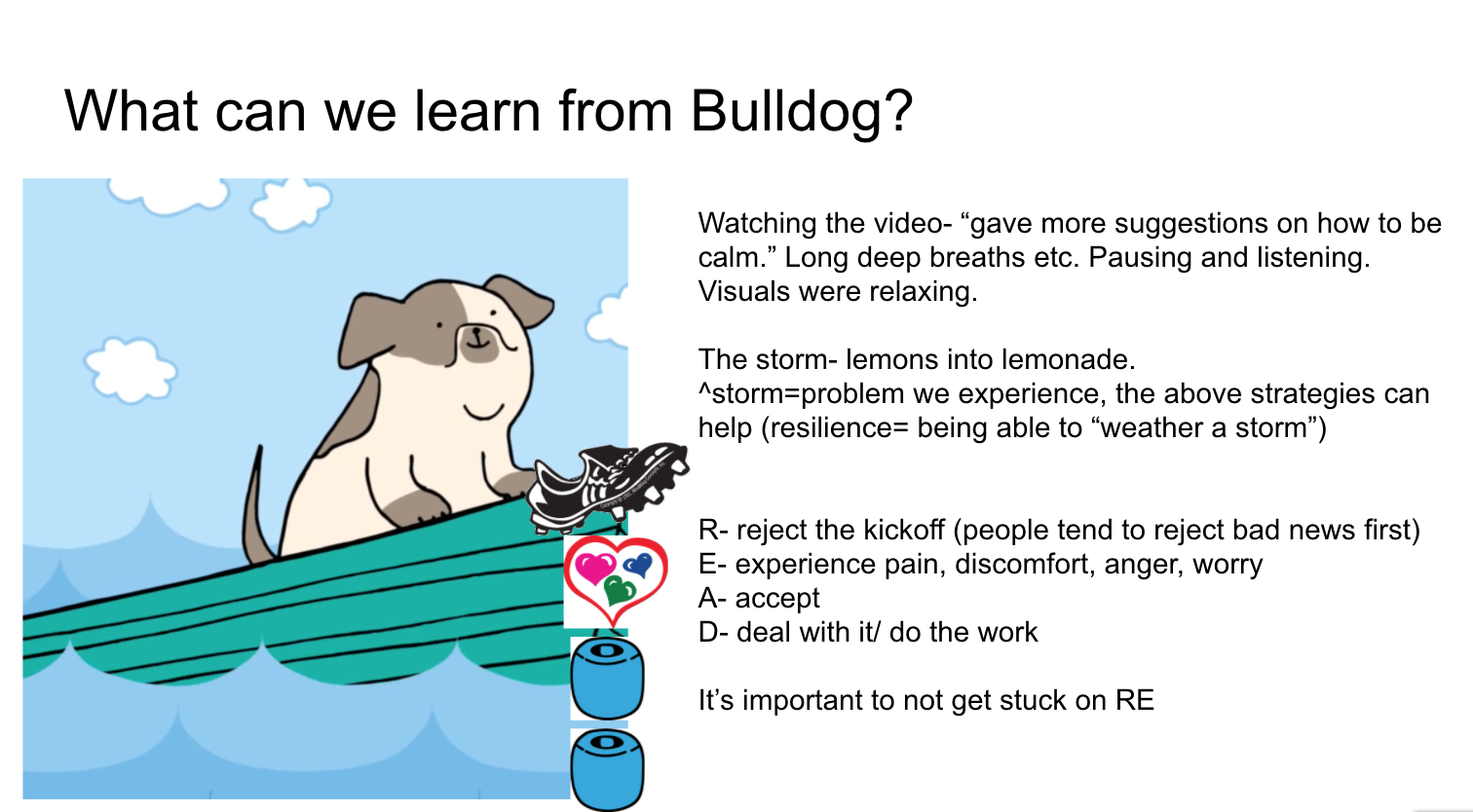
I have mentioned here many times that I am often seeking to target language and social competencies through a self-regulation lens of late. An example of a context for this is the great series of videos from the Stop, Breathe and Think-Kids app, now available free in full on YouTube in this playlist, see the right sidebar for full list. 

SBT-K presents mindful activities in a playful, narrative way and so is very useful for elementary students. As SLPs we can think of mindfulness cues like these as potential narrative/expository prompts (What did you think of when it said...?), connections to metacognition and self-regulation/social strategies such as Zones of Regulation®.

For a particular client these past several weeks, I have been using this series as a "flow" and creating in-the-moment visuals in Google Slides while scaffolding complex/abstract/how-can-you-use-this kind of language. A few examples are below, and remember that screenshots/screengrabs are your friend!


The READ acronym is one that I learned from MY therapist- how lucky I am to have a super solution-focused CBT support during a pandemic, and it corresponds well actually to story grammar (icons from Story Grammar Marker®)


As I mentioned, these are visuals we formed as the student, my graduate intern and I had this conversation over teletherapy; it occurred to me in the moment that many mindfulness activities are focused on lists, which are organized expository thinking!


Friday, November 6, 2020

A focus on gratitude

Gratitude is a Thanksgivingy theme...but actually much more than that. Much research has supported that practicing gratitude as a form of mindfulness can be self-regulating and cultivate positive neural connections. 

In addition, gratitude has a language lens as it:

-relates life experiences

-can/should be practiced as a "listing" activity

-expresses causality

-can be pushed to the abstract i.e. being grateful for intangible things.

Over this and coming weeks I will be using this and this video in discussion activities.


Both are accessible, short and visual. Videos from Headspace are very useful that way, and the second has a bit more of a near/practical hook that will help a lot of my boys access what could be perceived as a dismissible touchy feely message.

As a follow-up activity, Jamboard is a motivating visual way to have students journal, share, describe and discuss. Here's my model:


Friday, April 24, 2020

Creating a make-a-scene in Google Slides

Make-a-scenes are like Colorforms, for people who remember those. They present a setting, and allow for choices of elements to put in the setting. They therefore can work on thematic vocabulary, categories, syntax such as verbs, present progressive or causals, or on several levels of narrative- descriptive if choices are just items in a setting, action sequence if actions, or reaction sequence if more initiating events/problems.

Pic Collage has always been my go to for this, but if you want to involve some simple interaction in a teletherapy session, try with Google Slides. Even if you are using Google Hangouts Meet you have the potential to share the Google Slide file with the student so they can choose elements.

Here's a short video showing some tricks on creating a Make-a-scene in Google Slides. Have a good, safe, and as-positive-as-possible weekend.

Tuesday, April 7, 2020

4 Types of Activities to consider using in Google Classroom

Some of you are connecting synchronously with students through platforms such as Zoom or Google Hangouts Meet (could we make the title of that tool more awkward please? No), some of you are engaged in more asynchronous work (post activities to be done during a period of time), or some are doing both.

If you are working in a district that is using Google Apps (G-Suite), Google Classroom is an option. I am doing all synchronous directly, but consulting with some school staff around asynchronous options.

I first want to point out that Richard Byrne is a tremendous resource on all things Google in Education. See his post and video on several ways to share in Google Classroom, pieces modeled below also.

I wanted to present a sort of taxonomy, by no means comprehensive, of the kinds of activities you might post in Google Classroom for asynchronous "work" for your students, whatever the expectations of you are at this time. Here are 4 (Click on any of the images below to see larger):

1. Write about a picture.
Create an assignment (adjust timeframes and points- maybe "ungraded" to avoid confusion- for all assignments) and within it create a Doc. From another tab find an interesting picture with elements to describe from social or other targets. Insert into Doc with a prompt.


Here's an example. You can use this doc if you would like (file>make a copy, please do not request permission)


If you look at Richard's post above, he shows a student view as well. They complete the activity and Turn In.

2. Ask a Question/Conversational Prompt
Promote conversational skills on and offline by posting a question and moderating the discussion.


3. Post a video to prompt discussion.


The video example for this is here. Use your imagination, you can find all kinds of videos to prompt narrative and social language. Again, Anna Vagin is the authority on this- see her YouTube, Twitter, and books. 

4. Post a Drawing Prompt. 
This may engage students in descriptive language or Comic Strip Conversations for social cognition.


You can use this drawing if you would like (file>make a copy, please do not request permission).

If you want to know more about using Google Classroom, there are many more tutorials on YouTube.

Friday, March 20, 2020

What to: Using Google Slides for simple session agendas and visuals in telepractice

Today I did my first telepractice session with a social group of four middle school boys (emerging telepratictioner here) and am thrilled with how it went! As I've said I am making efforts here to share resources and ideas helpful for those looking to make a rapid transition to telepractice in these crazy times.

In yesterday's post I demonstrated the screen sharing feature of telepractice platforms and used this during this session. My graduate student WY Lo created these visuals with me, and they served as a support during the session targeting concepts such as The Group Plan (see Social Thinking®), conversational skills using the 6 Second Story (Based on Mindwing Concepts' work) and a brief discussion of the concepts of Body in the Group (Social Thinking® again) vs Social Distancing when in the community for safety. On that slide (5) the stick figures are movable if you are not in Present mode, and you make a copy (see below)

6 Second Stories along with the expectation and elicitation of comments and questions are a great activity for any session and worked well in this telepractice environment (Gallery View toggled w Screen Share are probably best, I realized). These "moves" in conversation also align with the PEERS® Curriculum.

Here is the link to the presentation. As usual please do not ask for permission to this presentation; you can click File>Make a Copy and it will be editable to you in your Google Drive


Notice how this presentation is "no big deal" nor would it be a lot of SLP talking head. That's the point: keep it simple and visually supportive. Hope you all are doing well and thanks for the response on the posts.

Thursday, June 20, 2019

Make a Top 10 List!

I've said it before and I will say it again, visual supports are key for scaffolding understanding, supporting thinking and even eliciting language. I'm amazed that one format, creating Google Slides presentations with students, is as enthralling as it is. Apple TV (you can use an interactive whiteboard or just a projector in a classroom) helps for sure, but you'll be surprised how much students attend and generate language as you type into a slide and create something interactively.

A student of mine (entering 5th) has shown a lot of interest in comedy and SNL. It occurred to me that introducing the group to David Letterman's Top 10 Lists might be of interest, as well as a way to frame a review of a key idea we worked on all semester. You'll have to use your judgment and look around YouTube, but I found one that was not too risqué (#1 can be explained in different ways) regarding the lackluster accommodations at the Sochi Olympics, which gave us:
-narrative opportunities: what was the story here?
-many attempts to "get" figurative language, multiple meaning and humor


Following this activity we scaffolded our own Top Ten list around concepts and skills we had been focusing on for a few months: moderating talk time. This came pretty organically from items the kids suggested as well as some models of "what's going unexpectedly in what we are playing out right now" (e.g. I launched into a complete plot retelling of "E.T."). In this I was thrilled that the boys remembered a created acronym of mine ("LLLL=Long Lists Lose Listeners®," JK on the ®) and the 5 Point Scale of Talk Time we worked with as a group (view below). When complete, they asked me to review the whole thing David-Letterman-Style! Essentially the activity created a social narrative and was great to share with parents afterward.

Link to presentation (please do not request permission for me to share it with your account, but if you like you can go to the File Menu and Make a Copy, which will save to your account).


Considering your professional development schedule next year? Check out Sean's offerings for training sessions.

Friday, June 14, 2019

The Tutankhamun's Mask Caper

Get ready for another fun adventure with Carmen Sandiego in Google Earth! This second game, The Tutankhamun's Mask Caper, is perfect for a one-session activity in which you can work on geographic/spatial concepts, categories such as world landmarks and continents, and making smart guesses (inferences). The game (spoiler alert) takes you to Cairo, New York, Berlin, Buenos Aires, and Bejing, so is great for syncing with curriculum if your students are studying ancient civilizations or some of the associated countries. Again, it's a good idea to keep another tab open (if using Google Earth in your Chrome Browser) or flip back and forth from Safari on iPad to Google Earth app (where you can find this game under the "Explore" captain's wheel icon) and use Wikipedia or some other resource to provide additional language and context about the landmarks you see. The programming seems a bit more forgiving as you can activate other features such as street view on the landmarks without it kicking you out of the game, which was a problem with the first version initially. Have fun defeating VILE yet again!


Considering your professional development schedule next year? Check out Sean's offerings for training sessions.

Thursday, May 30, 2019

Use Google Earth to Preview Community Settings/Walks

Walking is important. I always notice that I get a broader view of students' overall social functioning when the group is moving around. A table provides a grounding space that often regulates students; they don't have to think about using their eyes to assess space and monitor their own physical presence as much at a table. So take a walk! A community or neighborhood walk provides the opportunity for pre-lessons and post-review of your activity.

One great resource for this is Google Earth. On the Google Chrome Web Browser or Chromebook, or via the iPad app, this free resource literally allows you to "walk" through any area using Street View. To jump into Street View, after searching for a key address (use the magnifying glass icon), drag and drop the yellow "Pegman" onto the map, any point on the blue lines that indicate Street View access:


Some lesson points:
-Have students observe and look for community locations, both while using the arrows and moving "down the street" in Street View and actually walking down the street. This is a "Thinking with the Eyes" (see Social Thinking®) task that could be made more structured with a scavenger hunt.
-I am all about crosswalks. The navigation of crosswalks is a safety and lifeskill but also social task that many students at all levels struggle with. I generally see my students continue to converse as they walk up to a crosswalk and then stand there, waiting for me to direct them. Previewing these areas is also helpful in Google Earth.


This particular crosswalk has no street light to tell you what to do. You need instead to observe cars coming from each direction, as well as their directional signals and the drivers' eye gaze, to determine when to initiate a cross. A lot of social cognition involved there! A screenshotted image such as this could also be imported into Google Drawings, where you can sketch stick figures for guidance (a form of Comic Strip Conversation).


Considering your professional development schedule next year? Check out Sean's offerings for training sessions.

 
.